If a member has a subscription but does not have an active Direct Debit mandate, you can manually record subscription payments that have already been received outside of Tabology, such as cash, card or online.
Recording a manual payment does not take a payment. It simply records a payment received outside of Tabology against the member's subscription.
This lets you track payments received outside Direct Debit against the member's subscription.
To record a payment received outside of a Direct Debit, locate the Member payment from one of the following routes:
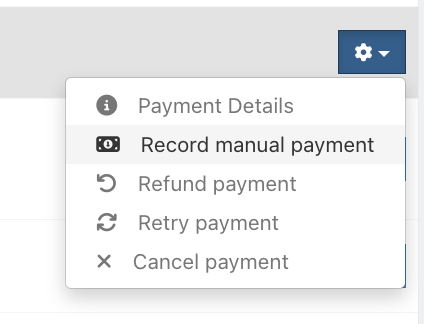
Subscription Centre – Go to Members & Loyalty > Subscription Centre, select the Payments tab and click the blue Settings cog alongside the payment
Member profile – Open the member's profile, locate the payment and click the blue Arrow alongside it
Click the Record manual payment button.
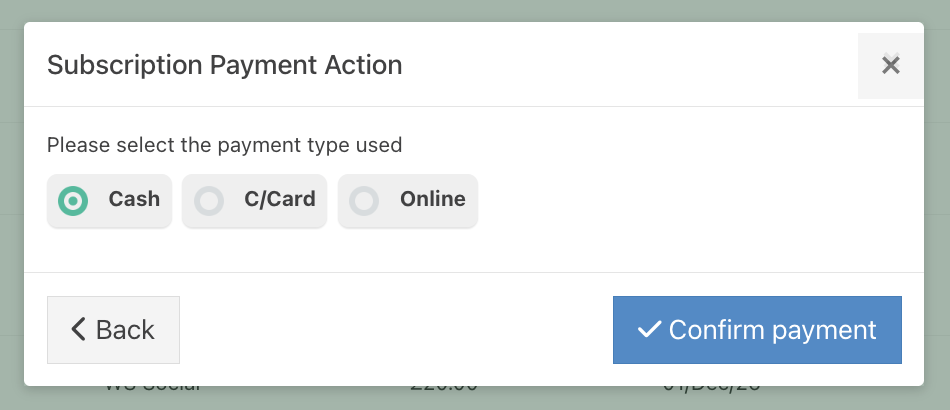
Select the Method of payment used to receive the payment::
- Cash
- Card
- Online
The Status of the payment will immediately update on the Payments tab of the Subscription Centre.

The payment will also appear in the Payments section of the member's profile.
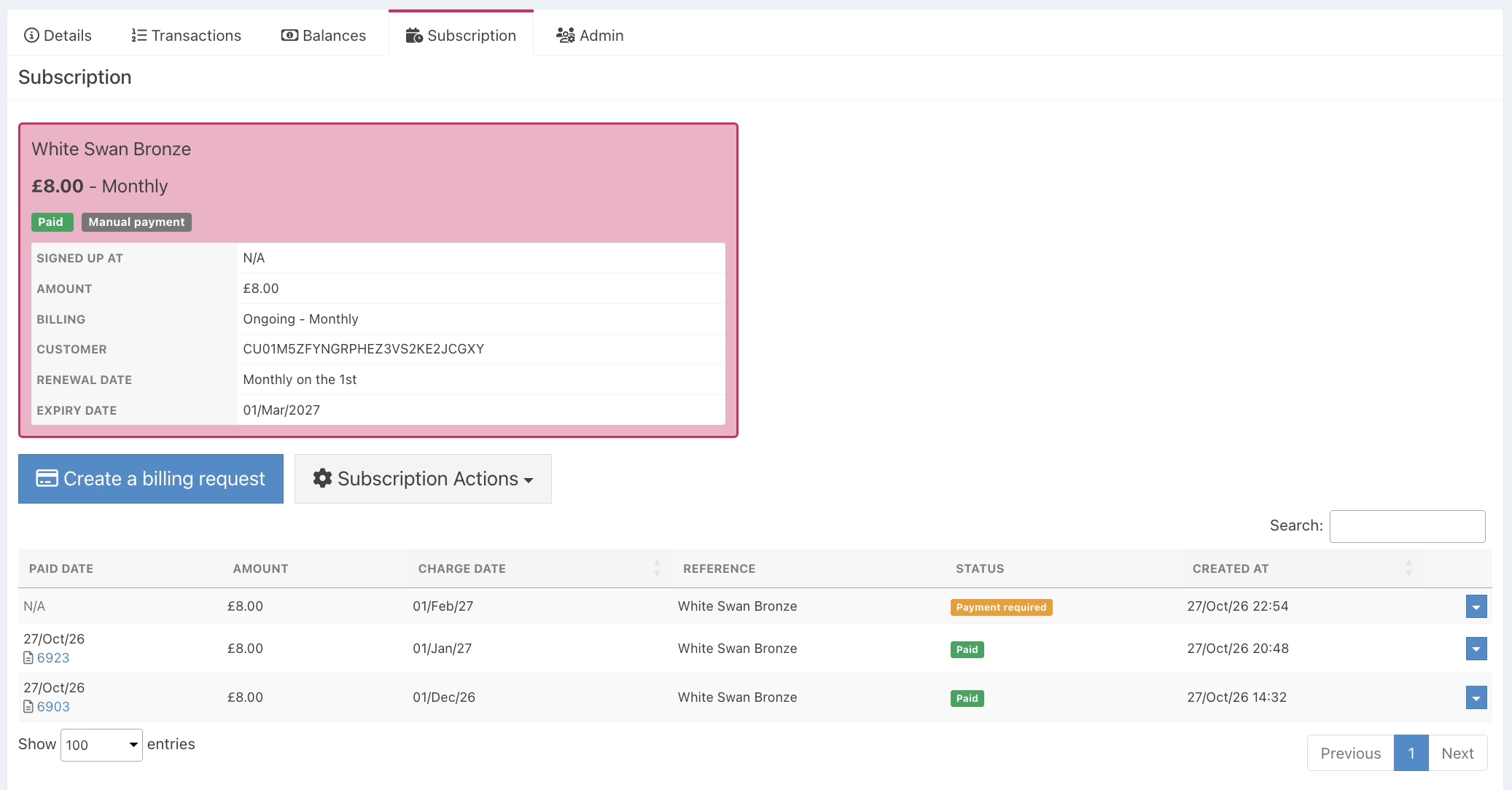
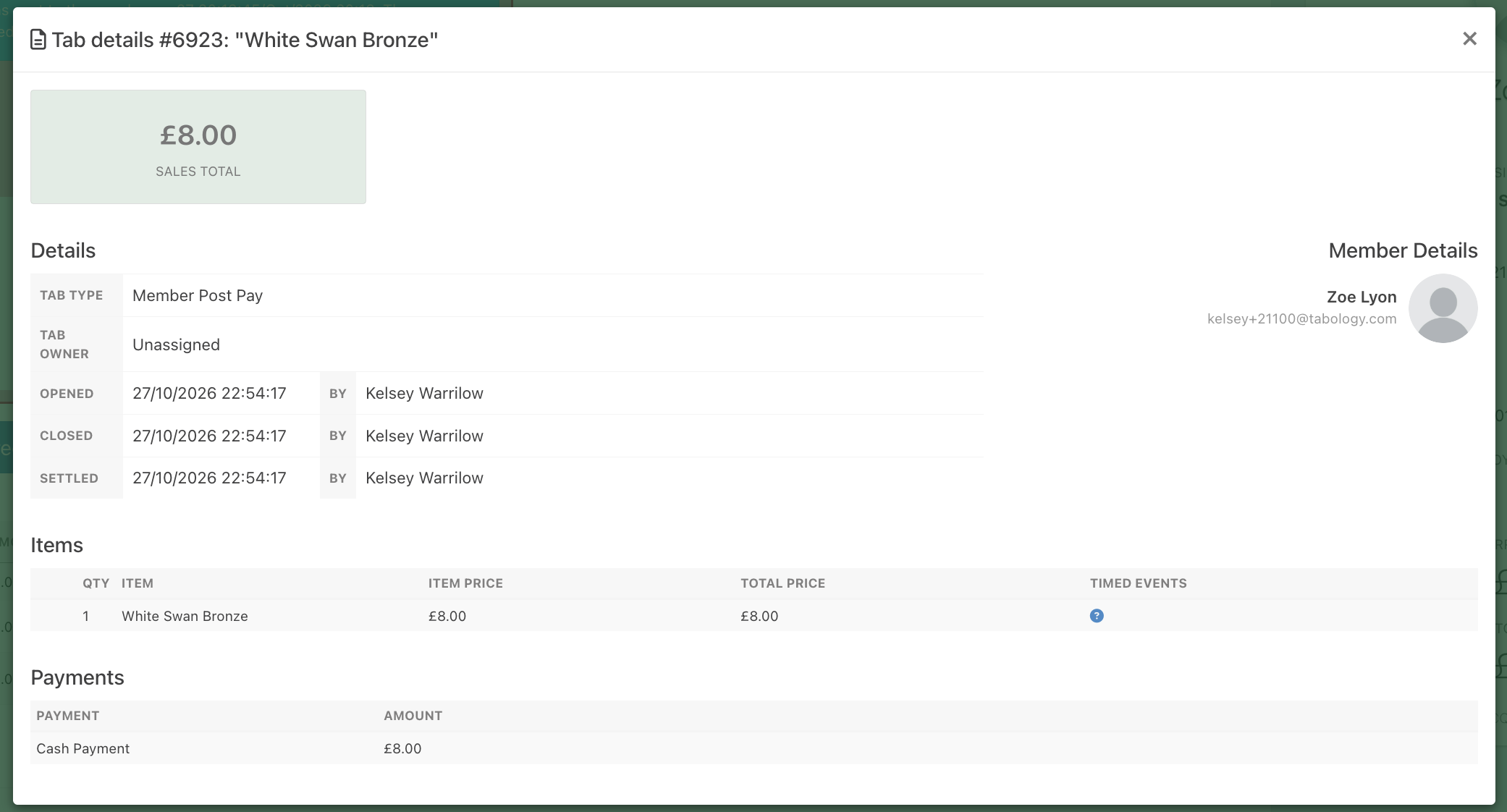
Click the blue Payment link to view the Tab details for the payment.
Was this article helpful?
That’s Great!
Thank you for your feedback
Sorry! We couldn't be helpful
Thank you for your feedback
Feedback sent
We appreciate your effort and will try to fix the article