If you have member types that require a Go Cardless subscription, new members will be prompted to complete a Direct Debit form when they sign up via your website.
After completing the member sign-up form and receiving their digital loyalty pass via email, the member will be automatically redirected to the Direct Debit form.
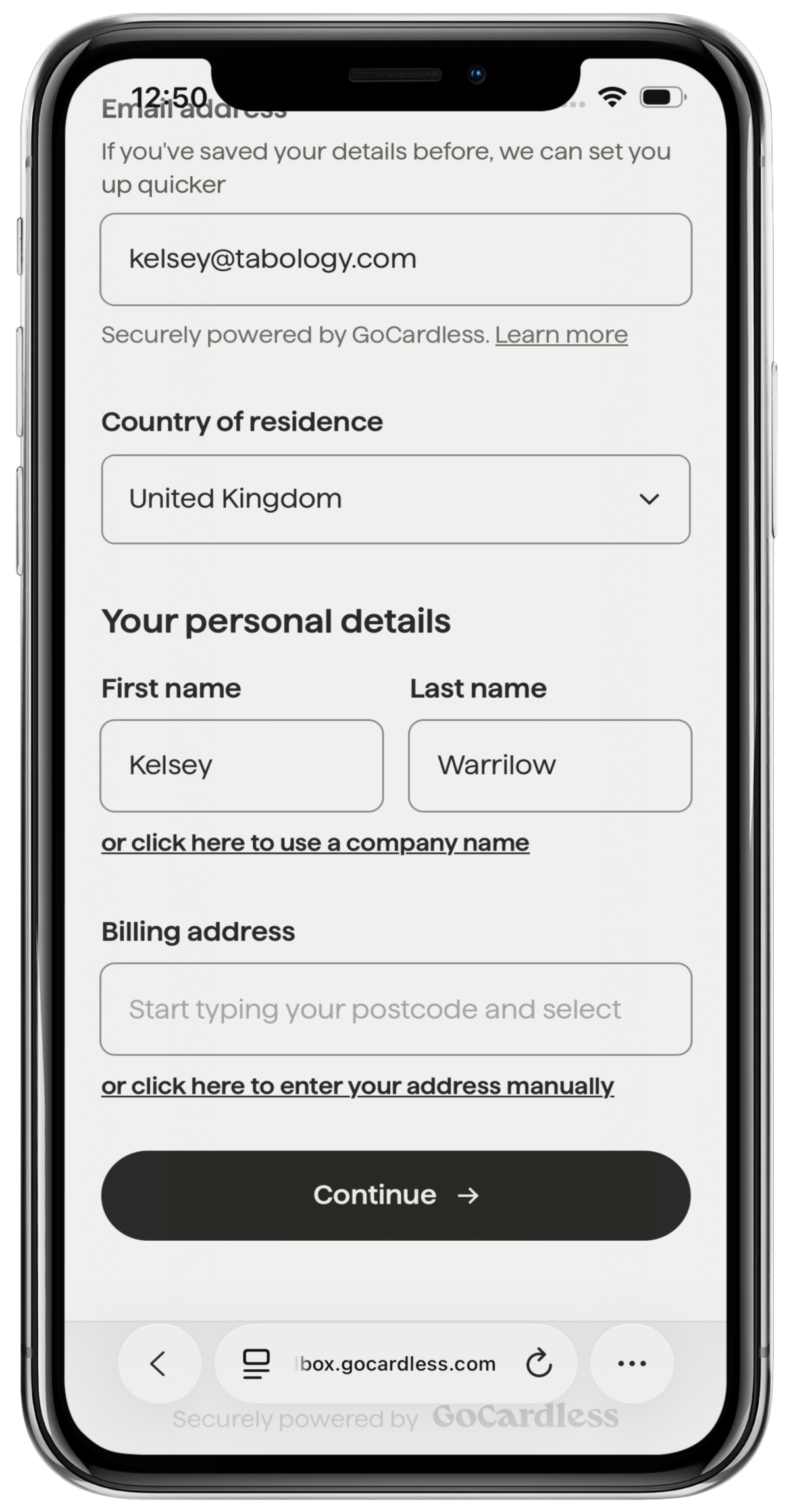
The customer's email address, country of residence and name will pre-populate from the Sign up form.
They will then complete their billing address, then click the black Continue button.
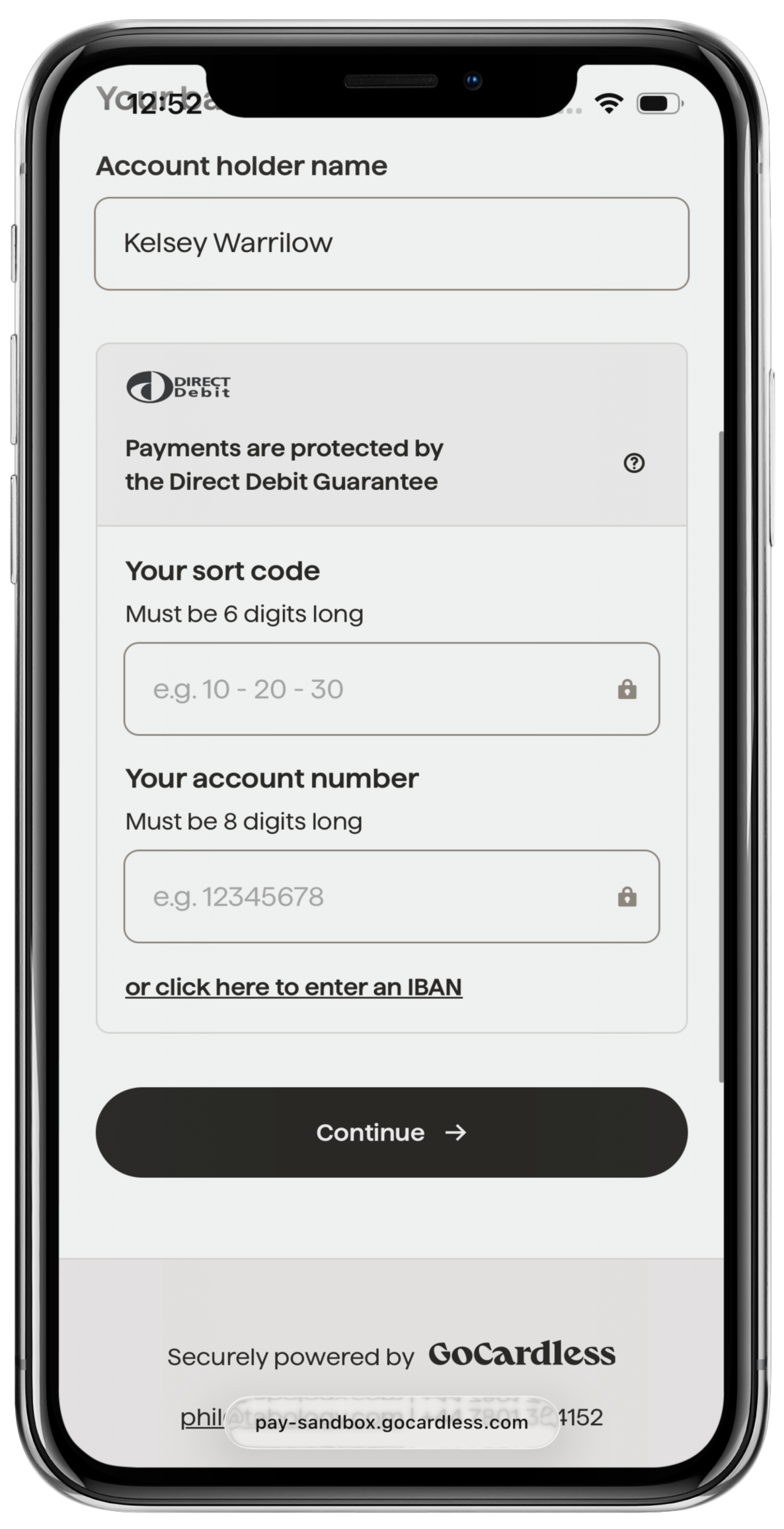
The customer will then be prompted to enter their Bank details in the corresponding fields, then click the black Continue button.
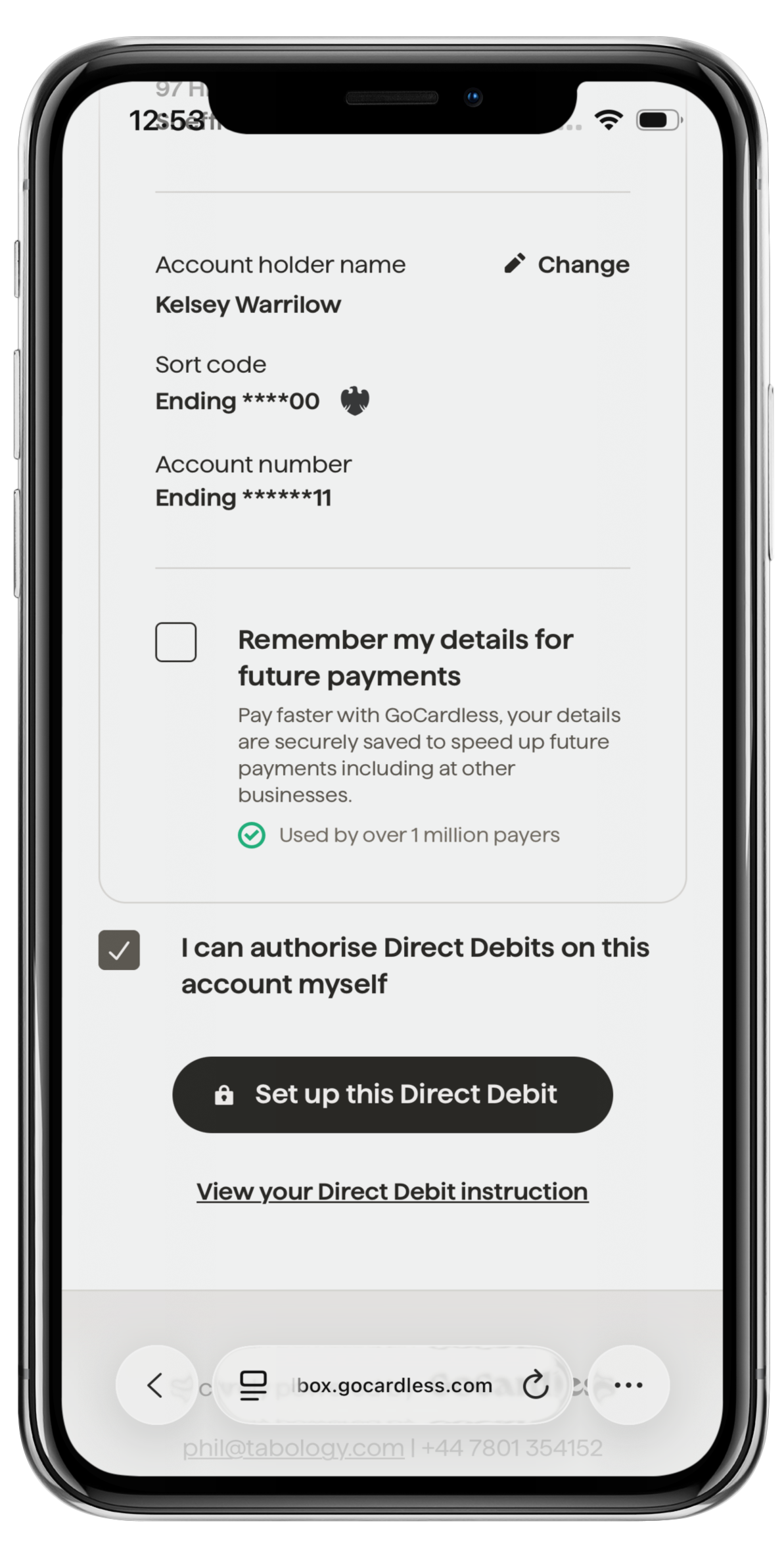
Finally, they will be asked to confirm all details entered. They will then click the black Set up this Direct Debit button.
Upon successful sign-up, the Direct Debit form will then redirect back to the Tabology success page.
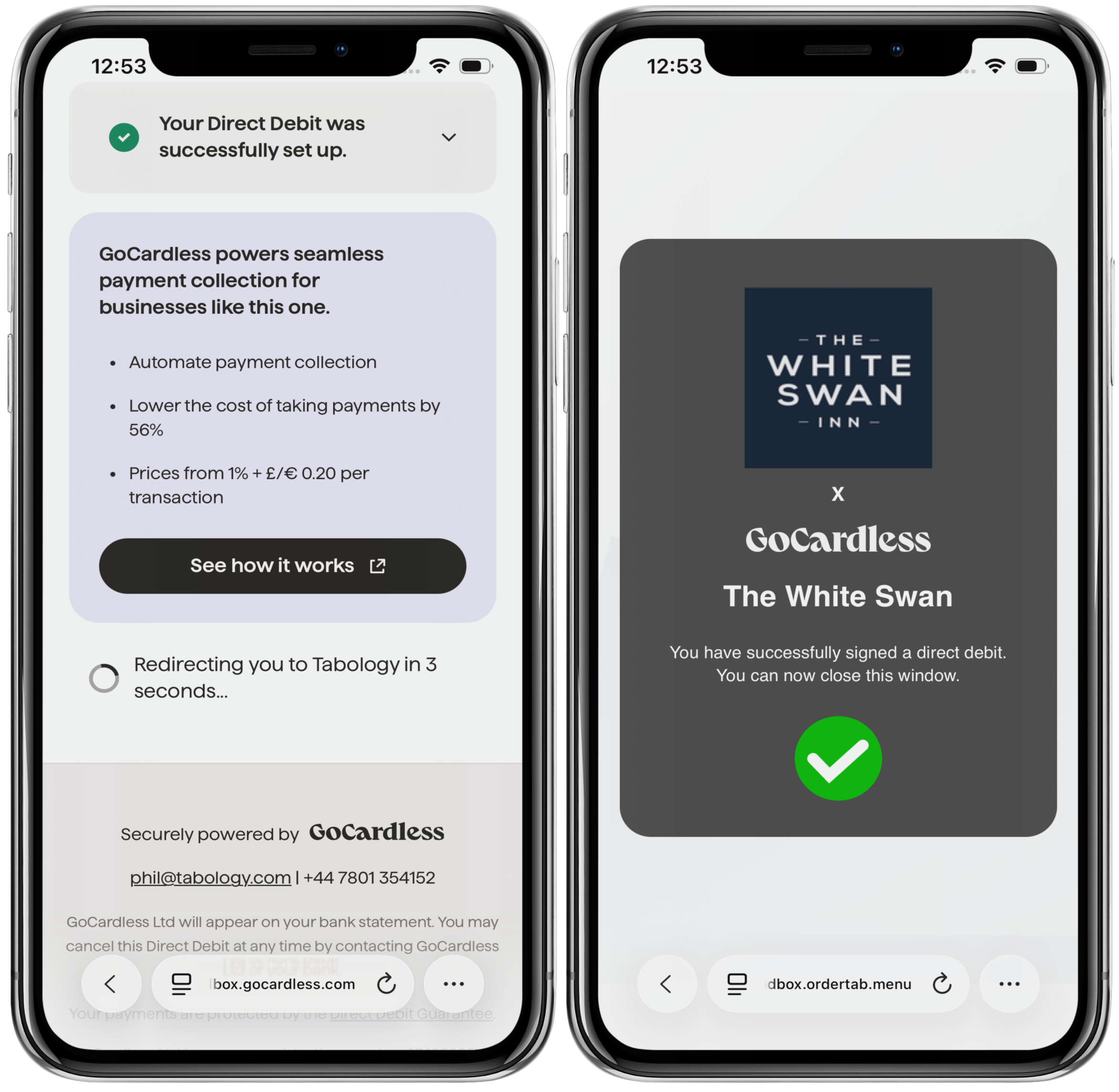
The Direct Debit will now collect payments from the member according to your subscription set up for that member type.
Was this article helpful?
That’s Great!
Thank you for your feedback
Sorry! We couldn't be helpful
Thank you for your feedback
Feedback sent
We appreciate your effort and will try to fix the article