If a Direct Debit payment for a subscription fails, you can retry it from the back office.
To retry a Direct Debit payment, locate the Member payment from one of the following routes:
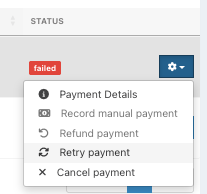
Subscription Centre – Go to Members & Loyalty > Subscription Centre, select the Payments tab and click the blue Settings cog alongside the payment
Member profile – Open the member's profile, locate the payment and click the blue Arrow alongside it
Click the Retry payment button.
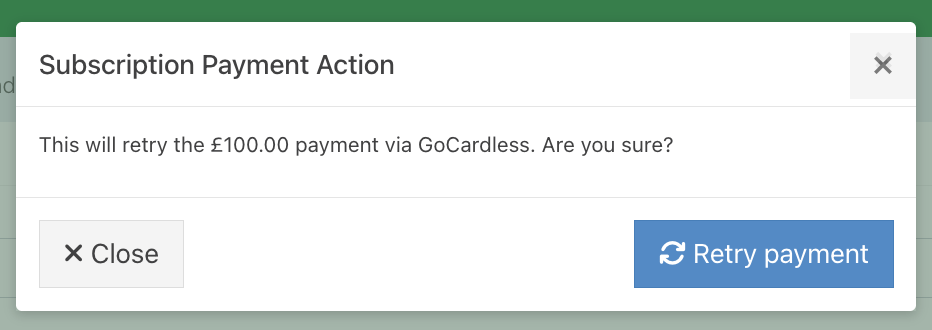
At the Retry prompt, confirm the Retry action.
The payment status will update to Pending submission on the Payments tab of the Subscription Centre.

The Pending submission label will also appear in the Payments section of the member's profile.

Note: When a payment has been retried, you cannot retry it again unless it fails.
To confirm the payment has been retried, refer to your GoCardless account.
Was this article helpful?
That’s Great!
Thank you for your feedback
Sorry! We couldn't be helpful
Thank you for your feedback
Feedback sent
We appreciate your effort and will try to fix the article