To connect to Teya for taking payments, first configure Teya as your chosen payment processor on the back office, then connect your Teya account to your EPOS.
If you want to be able to settle tabs directly on your Teya terminal, you can also enable Teya Pay at Table.
To configure Teya for taking payments, go into your back office and select Setup > EPOS.
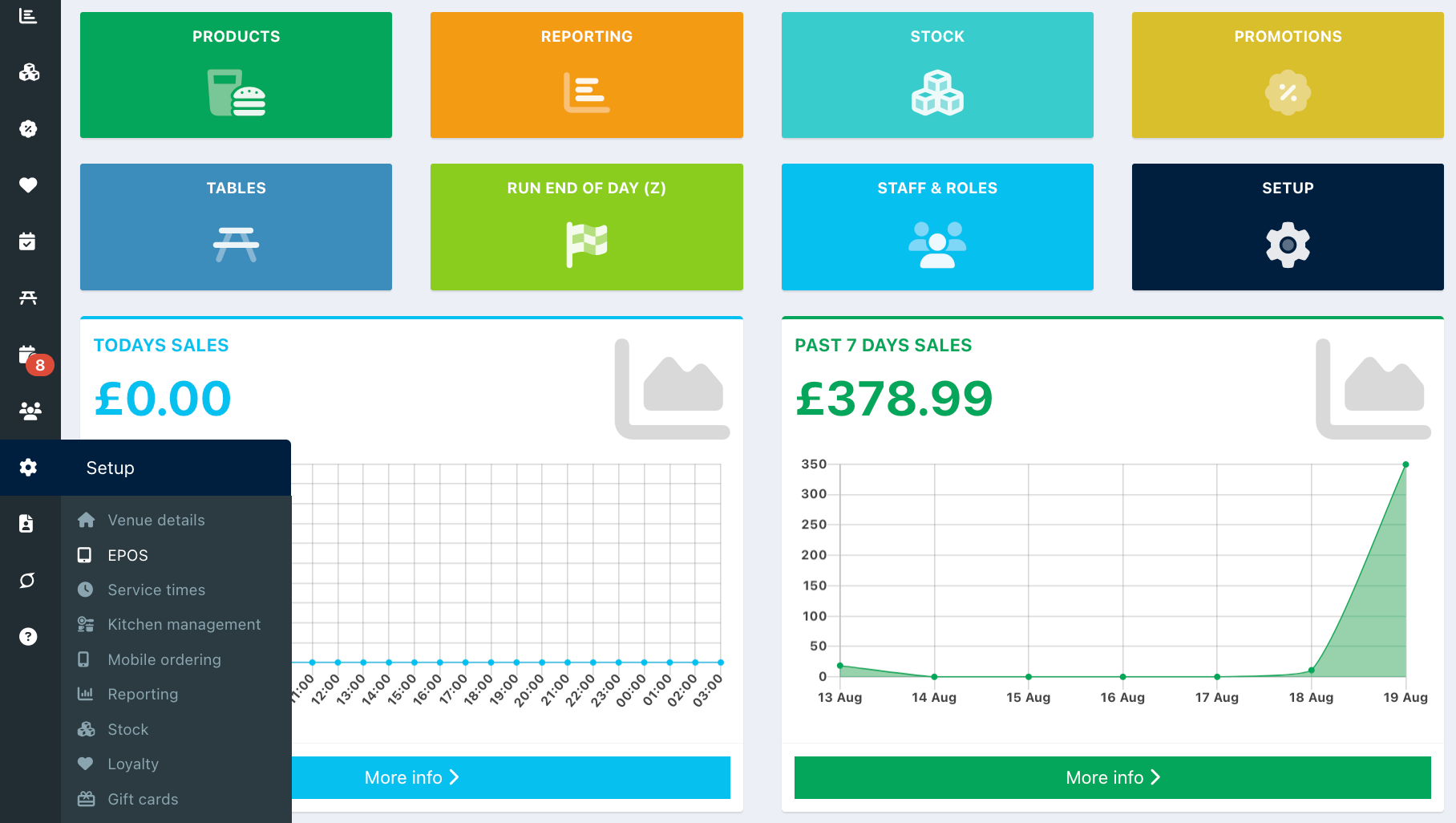
Click the Payment integration tab from the top of the screen, then click the blue Setup payment processor button.

From the Dropdown field select Teya.
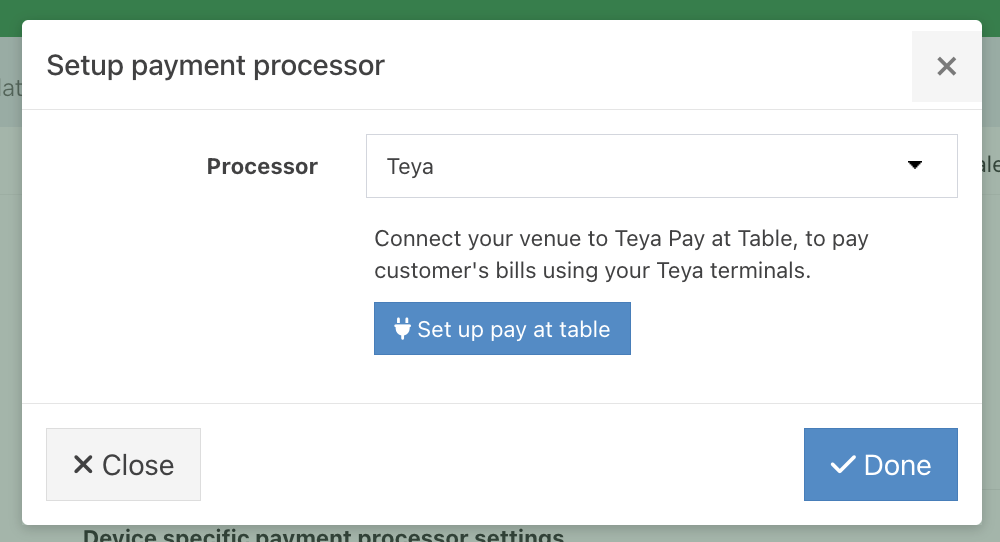
If you would like to Enable Teya Pay at Table, you can now do this. If you don't require Teya Pay at Table, click the blue Done button.
You should now connect your Teya account to your EPOS.
Was this article helpful?
That’s Great!
Thank you for your feedback
Sorry! We couldn't be helpful
Thank you for your feedback
Feedback sent
We appreciate your effort and will try to fix the article