You can change the order in which rota departments appear on the rota by reordering them in the back office.
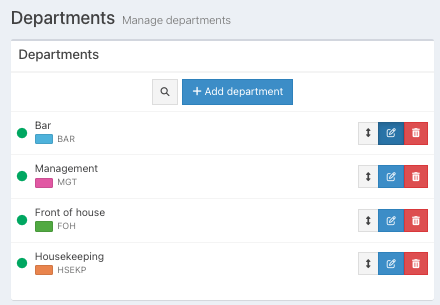
To do this, locate your rota department from the list, then drag and drop each department into place by using the grey arrow located at the end of the department name.
Was this article helpful?
That’s Great!
Thank you for your feedback
Sorry! We couldn't be helpful
Thank you for your feedback
Feedback sent
We appreciate your effort and will try to fix the article