The Plans tab in the Subscription Centre provides an overview of all member subscription plans that have been set up, including both active and inactive plans.
You can also manage other aspects of your subscriptions from the Subscription Centre:
Member Subscriptions – View and manage individual member subscriptions
Member Payments – View payments associated with member subscriptions
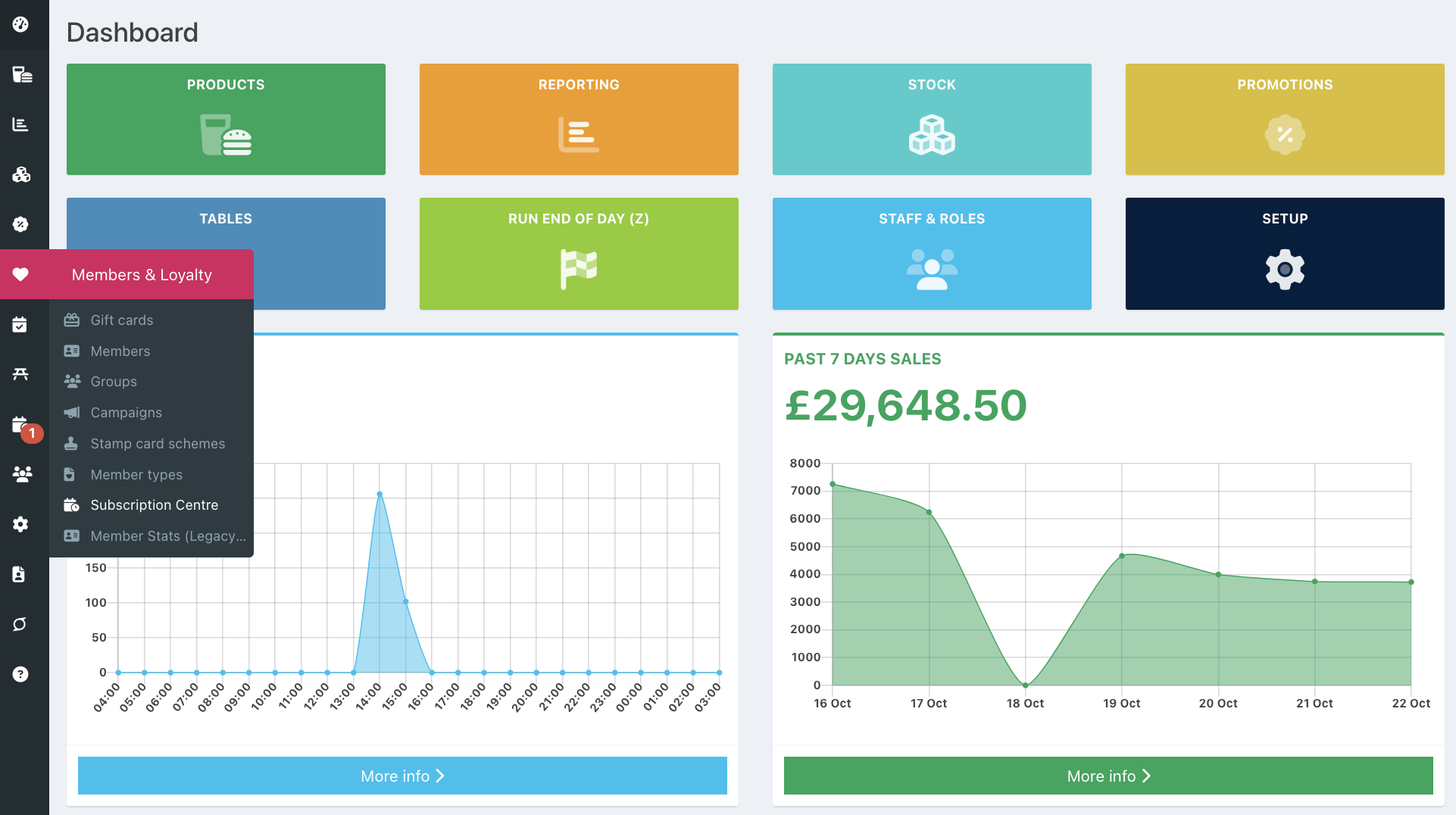
To view Member subscription plans, go into your back office and select Members & Loyalty > Subscription Centre.
The Plans tab will display by default, showing all subscription plans.
The Status indicator beside each plan shows whether it is active (solid green) or inactive (outlined red).
To view only active or inactive plans, use the All Plans dropdown on the left of the screen.
When viewing plans, you can see:
- Reference - The subscription plan name and associated member type
- Billing amount - The amount charged for each billing cycle
- Interval - How often the subscription is billed (either monthly or annually)
- Total cycles - The number of billing cycles, or Ongoing for subscriptions without a set number of cycles.
- Fixed renewal date - The date the subscription renews, if this has been set. Otherwise, this will display as N/A.
- Start date - The date the subscription plan is scheduled to begin
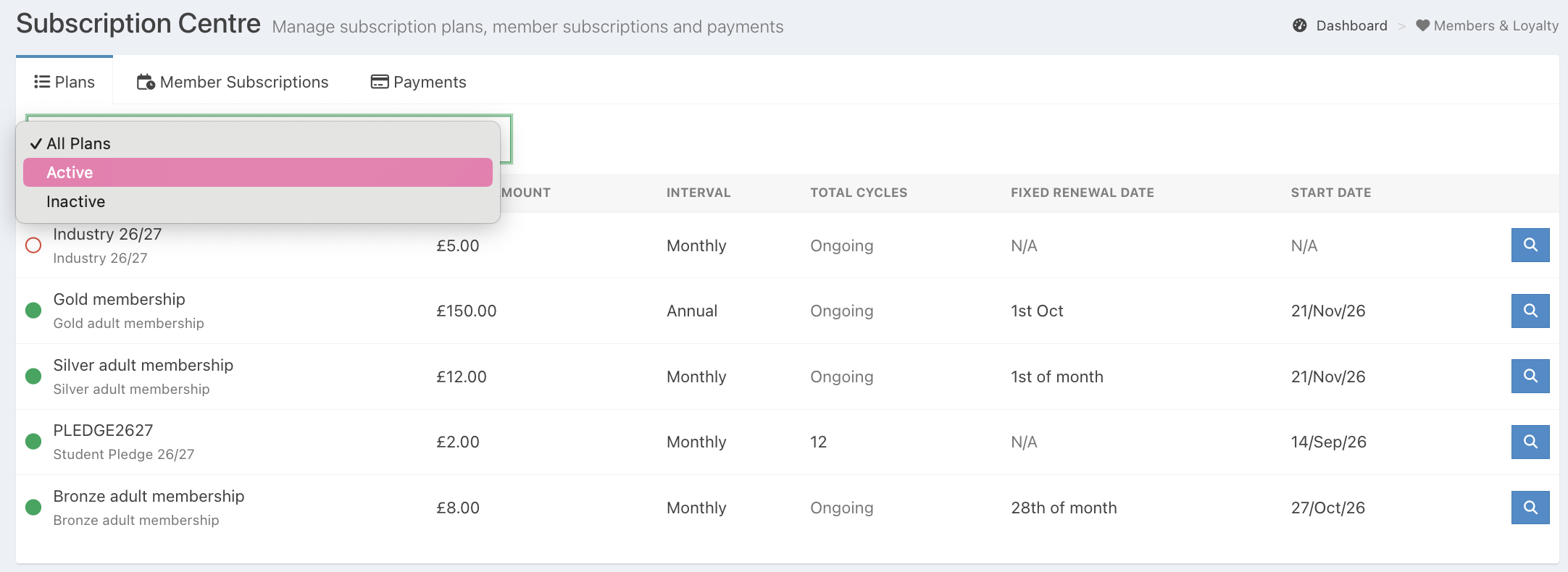
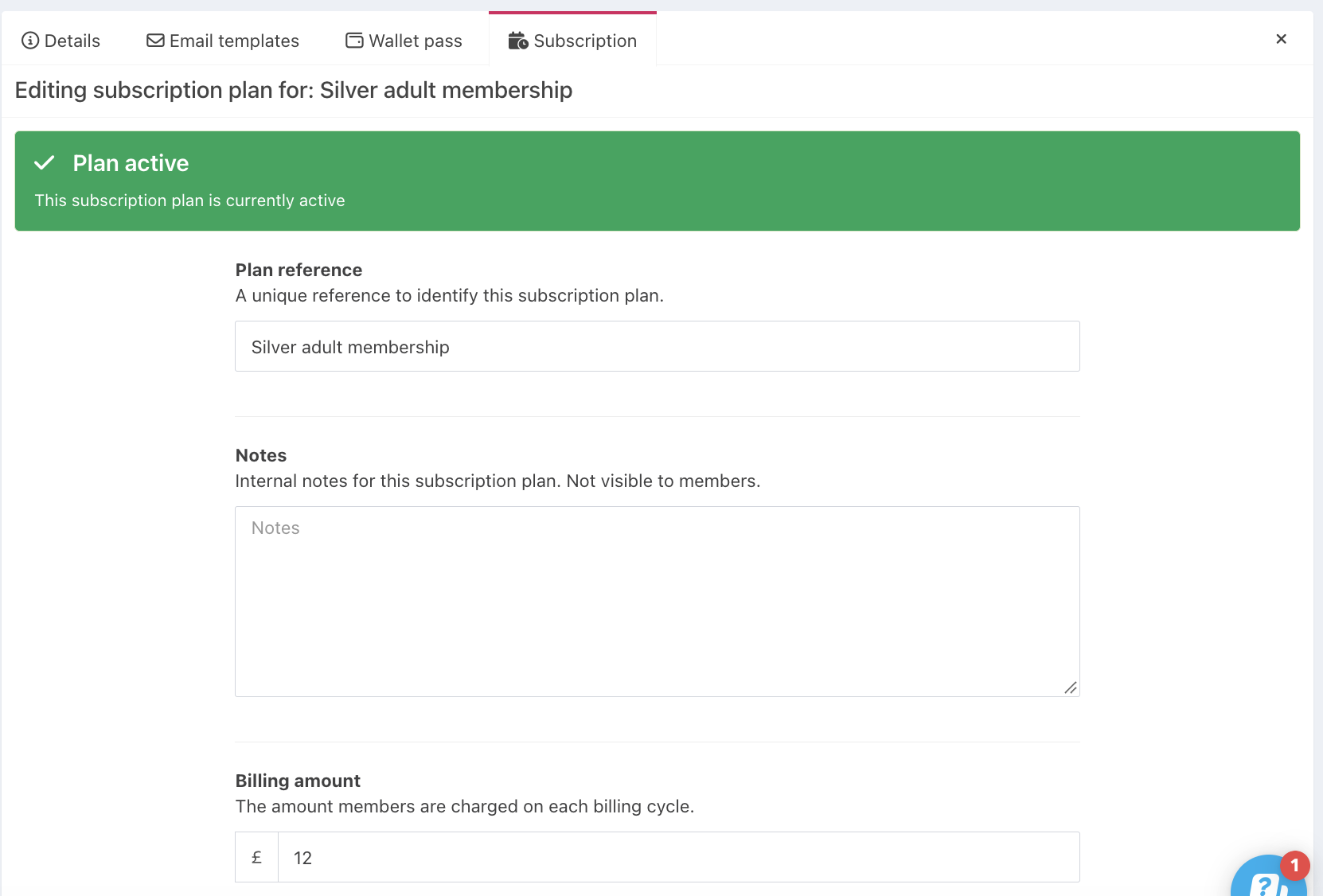
To view or edit a subscription plan, click the blue Magnifying glass button at the end of the relevant plan's row.
This will take you directly to the Subscription plan setup, where you can view or edit its configuration.
Was this article helpful?
That’s Great!
Thank you for your feedback
Sorry! We couldn't be helpful
Thank you for your feedback
Feedback sent
We appreciate your effort and will try to fix the article