A Zebra scanner makes it easier to scan QR codes without taking a customer's phone to scan the QR code with the iPad camera. You will be able to use the Zebra scanner to scan Member passes and gift cards.
To connect a Zebra scanner, go to your EPOS and select Admin from the bottom navigation. Then click the orange Device button.
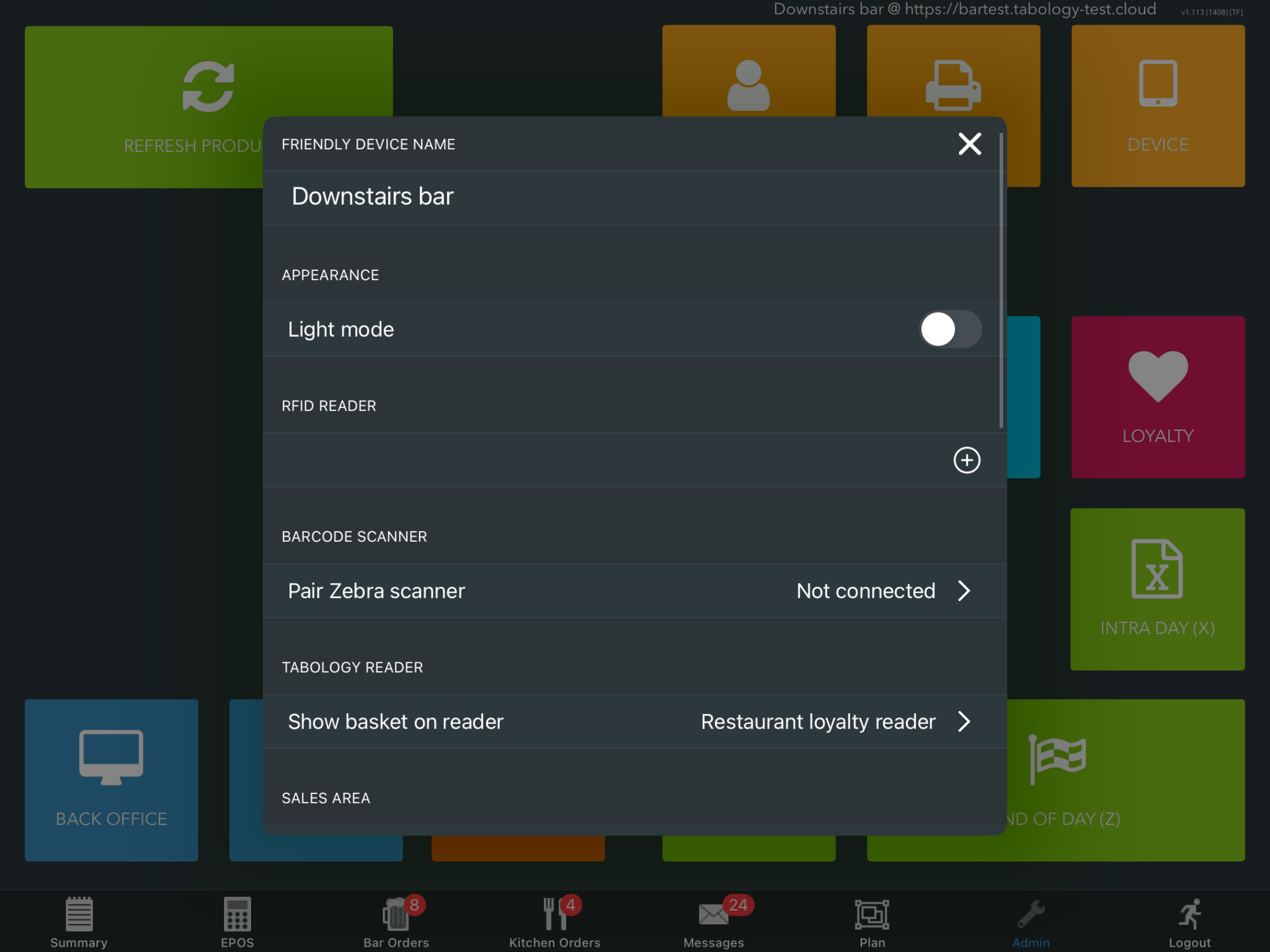
Click the Pair Zebra scanner field and ensure your scanner is on.
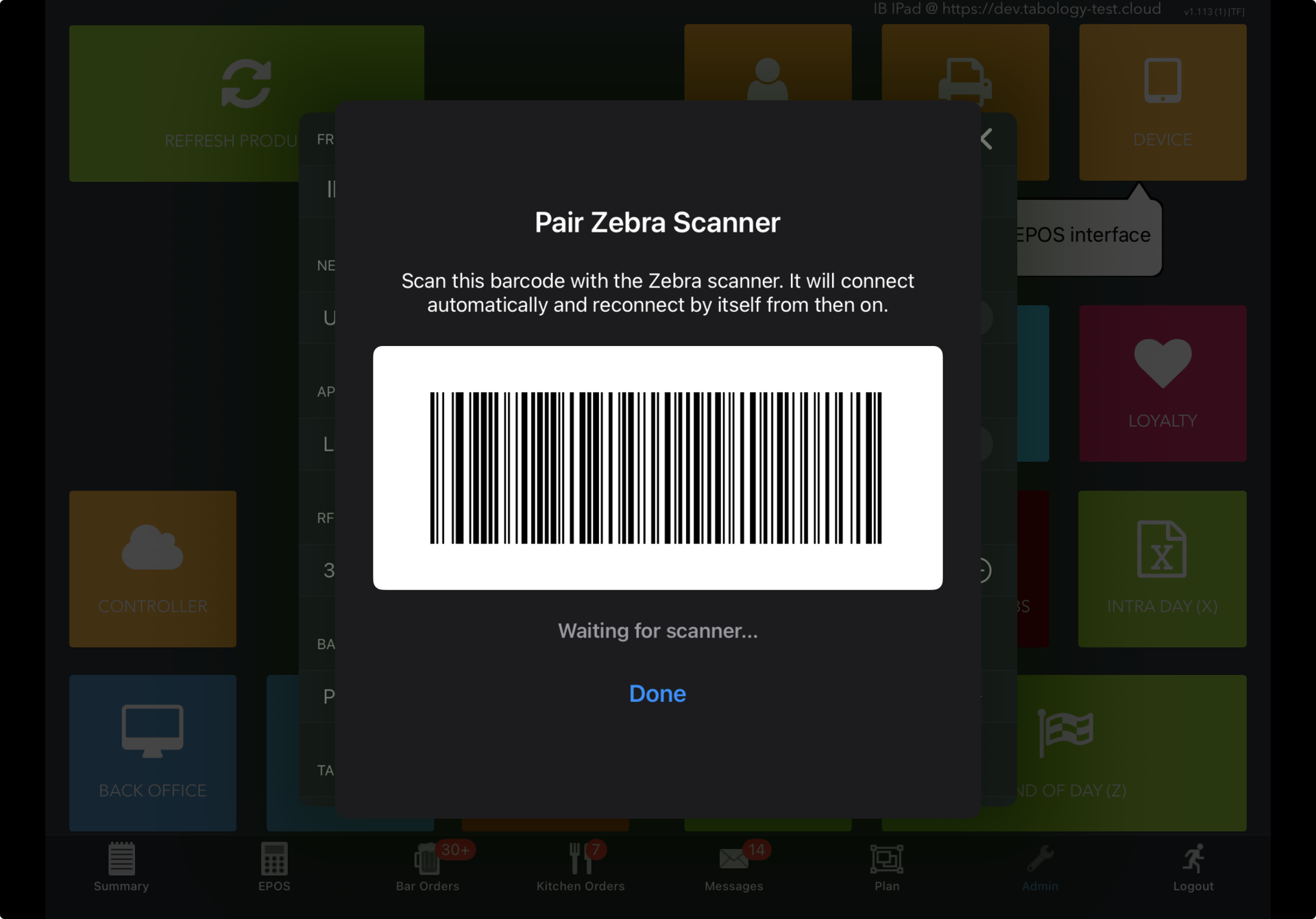
Scan the barcode displayed on your EPOS screen.
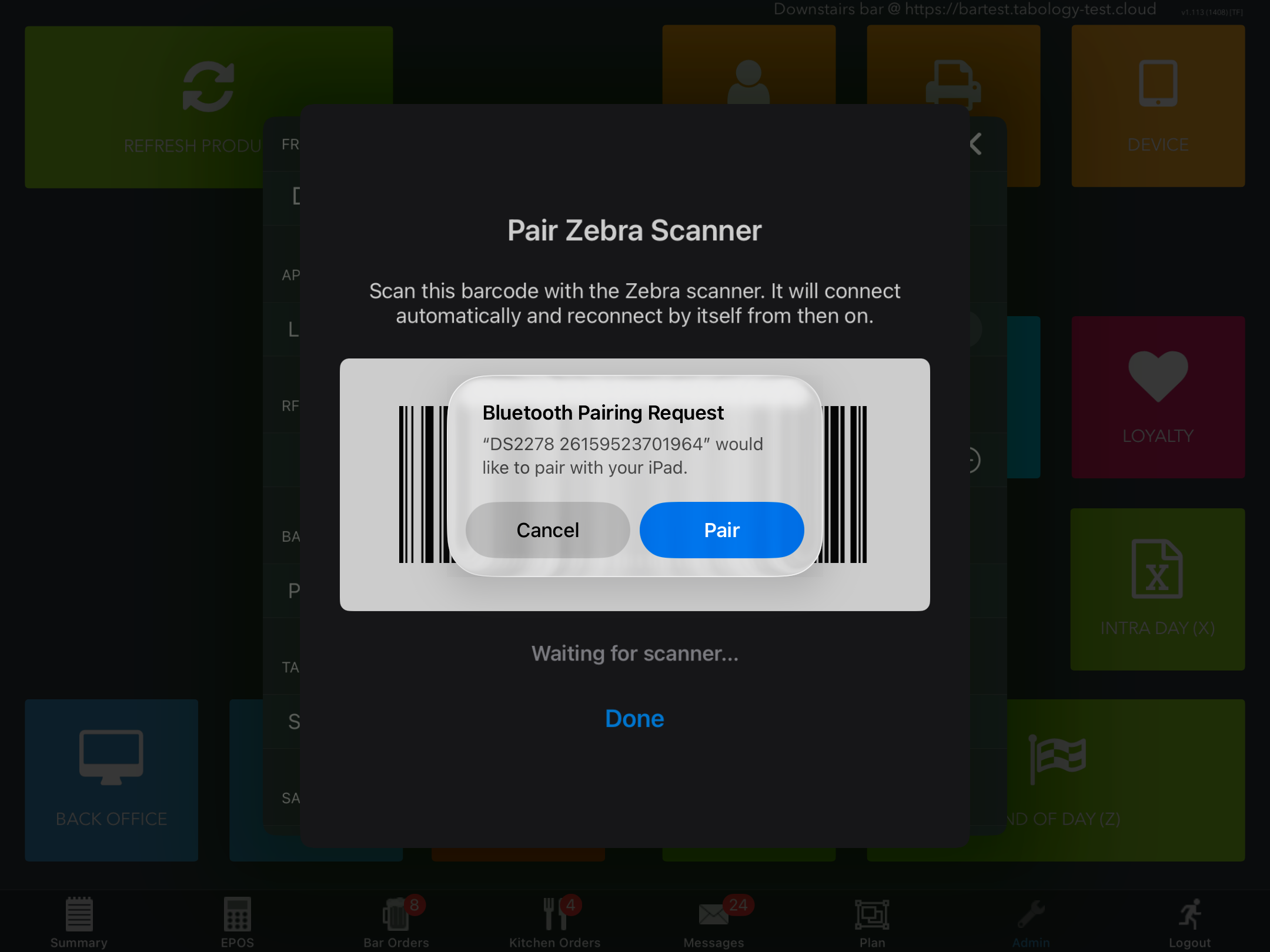
At the pairing prompt, click the blue Pair button, to connect your EPOS with your scanner.
When the pairing is successful, a green Confirmation message with the Scanner ID will display.
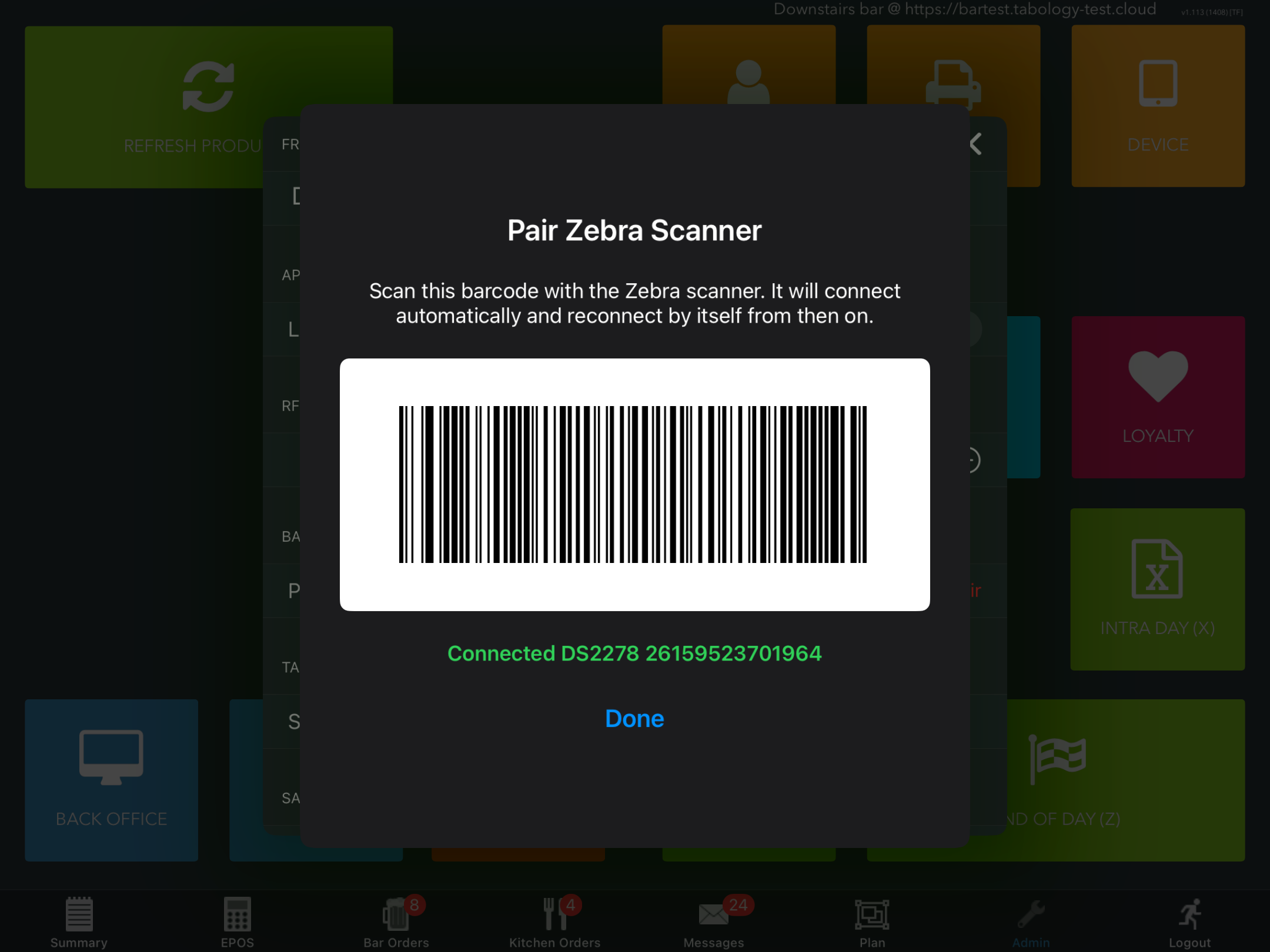
Click the blue Done button, to return to the Device settings modal. You will see the same Scanner ID displayed in the Zebra scanner field.
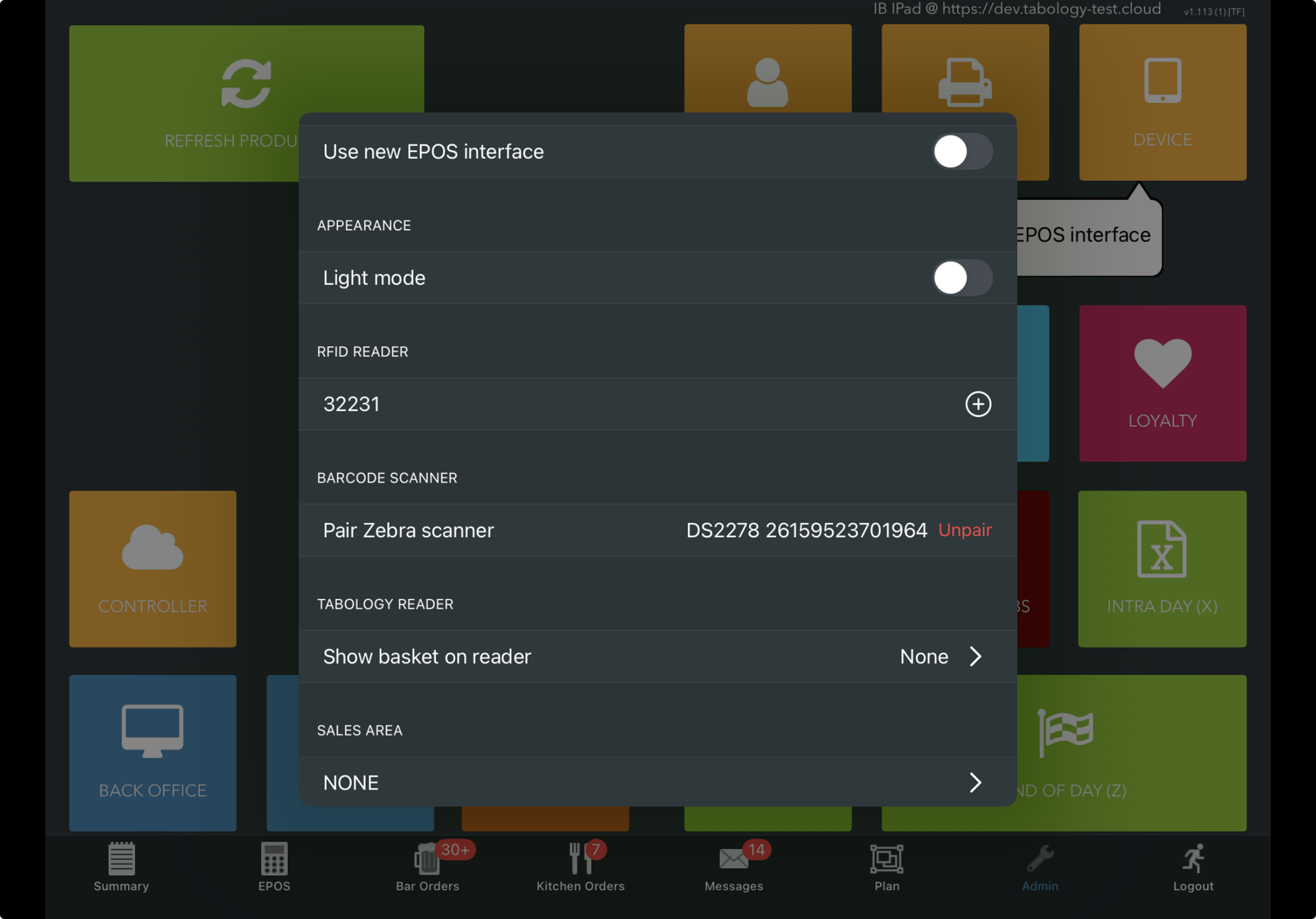
Close the Device modal setting, you can now use your Zebra scanner to, scan Members passes or giftcards.
Was this article helpful?
That’s Great!
Thank you for your feedback
Sorry! We couldn't be helpful
Thank you for your feedback
Feedback sent
We appreciate your effort and will try to fix the article