This article shows you how to enable digital member passes for your club or loyalty scheme members.
Digital loyalty passes include a QR code that can be scanned at the till to earn points and apply eligible promotions. Visits, purchases, and spend will also be tracked against a member when a digital loyalty pass is scanned for a transaction.
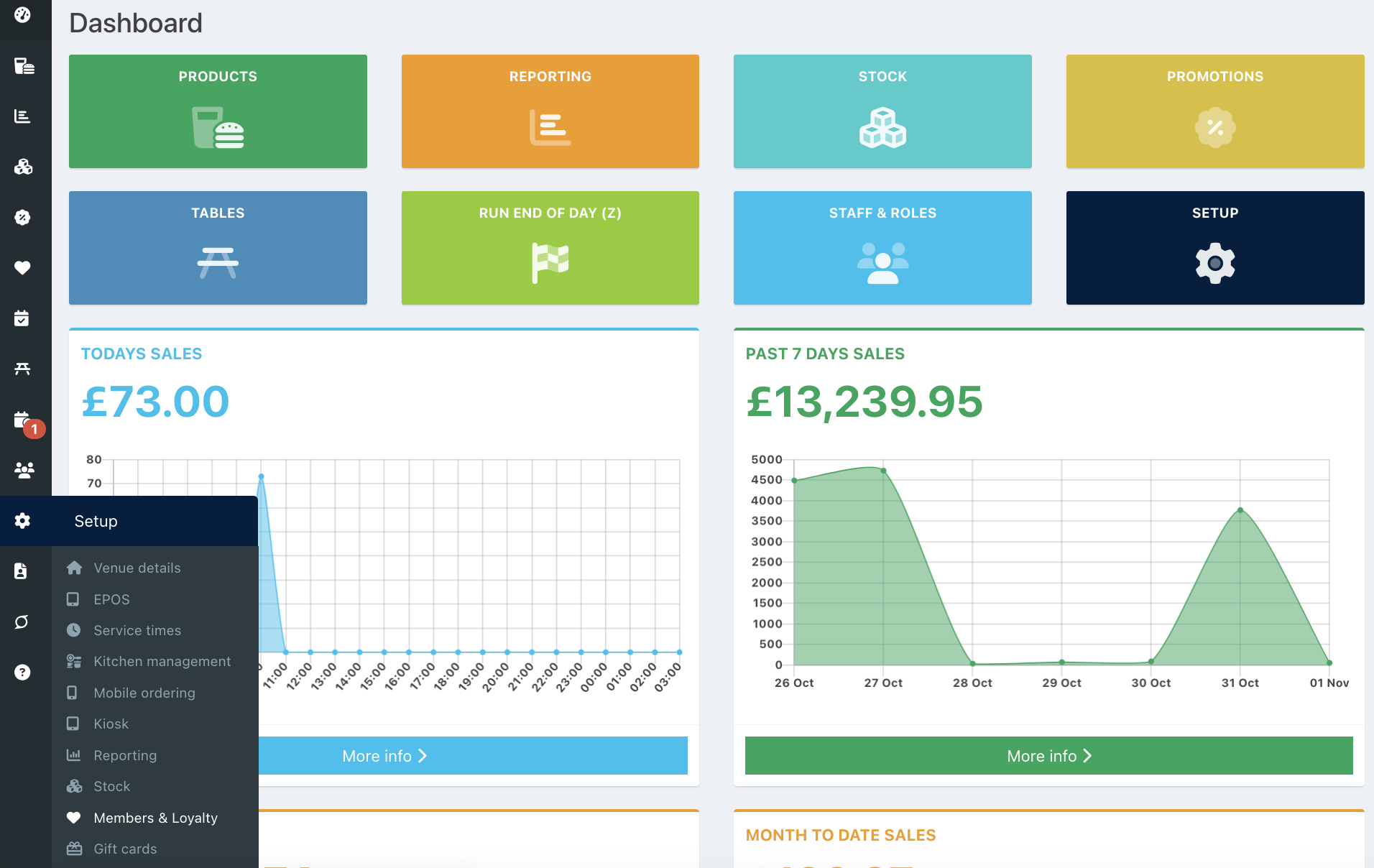
To enable digital member passes, click on Setup > Members & Loyalty from your back office dashboard.
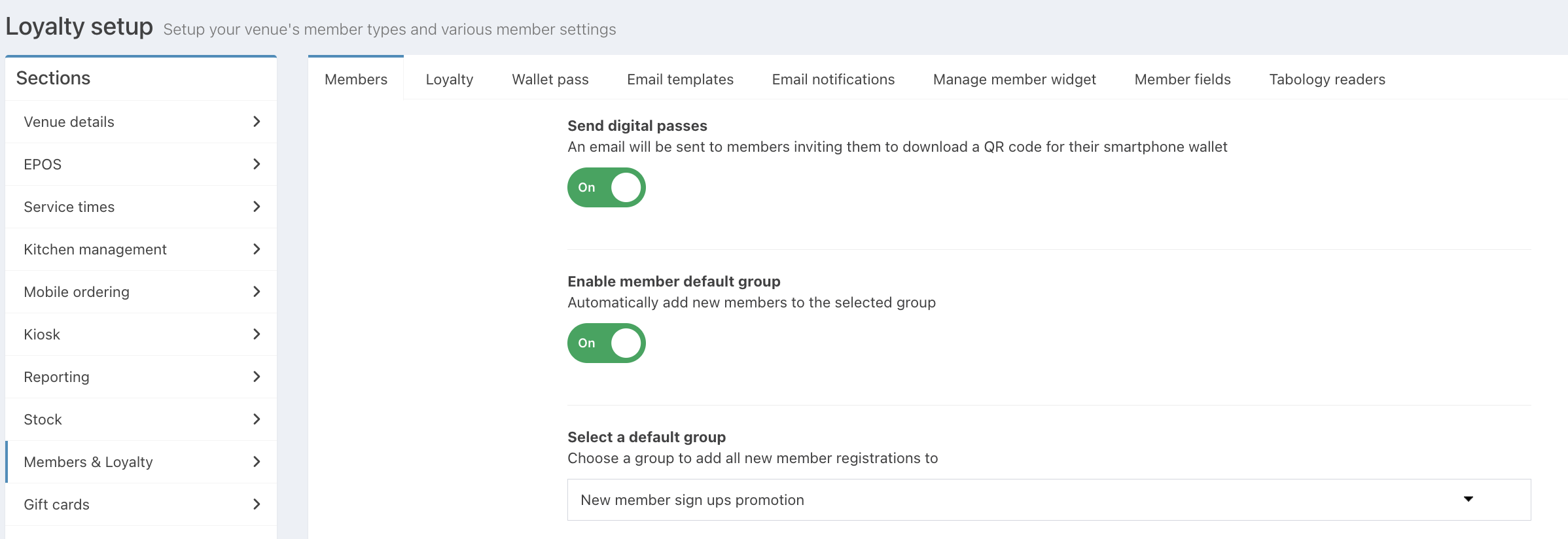
On the Members screen, toggle Send digital passes to On.
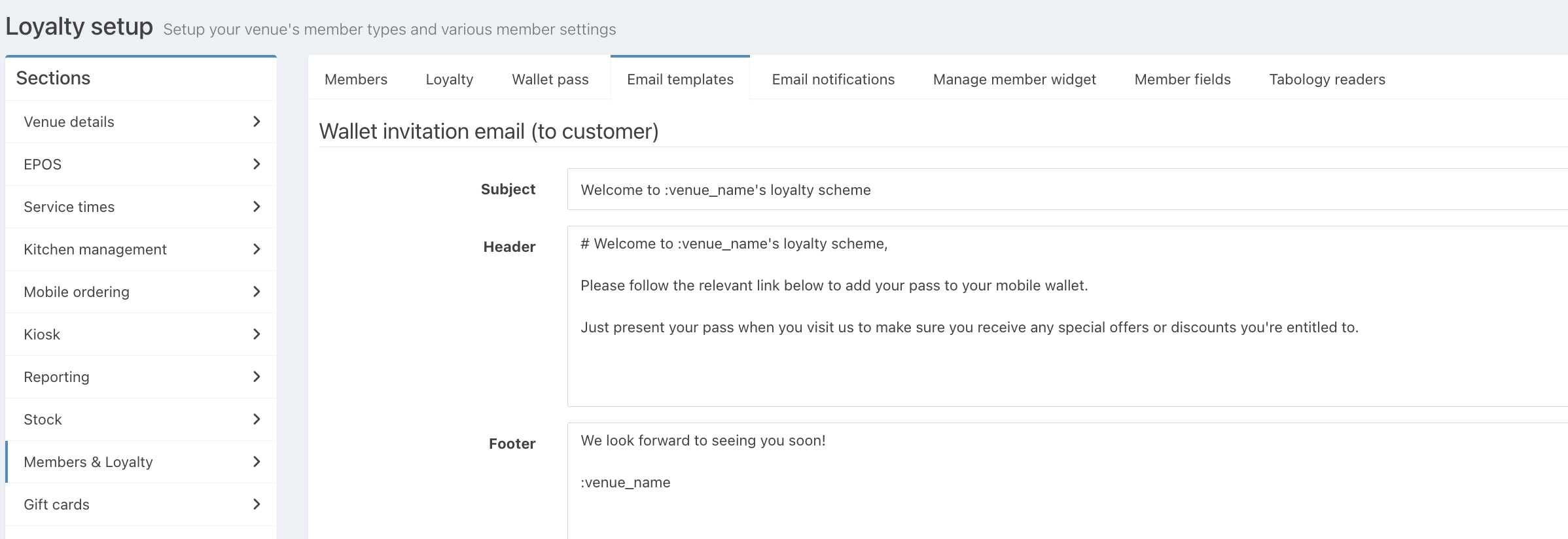
With this enabled, an email will be sent to new members when they join your loyalty scheme. The email will include a link to download their digital pass to their Apple or Google wallet.
You can edit the email sent to new members in the Email templates tab.
You may now want to see how to add members to your Member type and scan a member's QR code.
Was this article helpful?
That’s Great!
Thank you for your feedback
Sorry! We couldn't be helpful
Thank you for your feedback
Feedback sent
We appreciate your effort and will try to fix the article