If you use SumUp as your payment processor, you can take payments on Mini EPOS with Tap to Pay.
To initiate Tap to Pay on iPhone, first ensure you have a PIN set and enabled on your iPhone. Having a PIN set is a requirement to be able to use Tap to Pay.
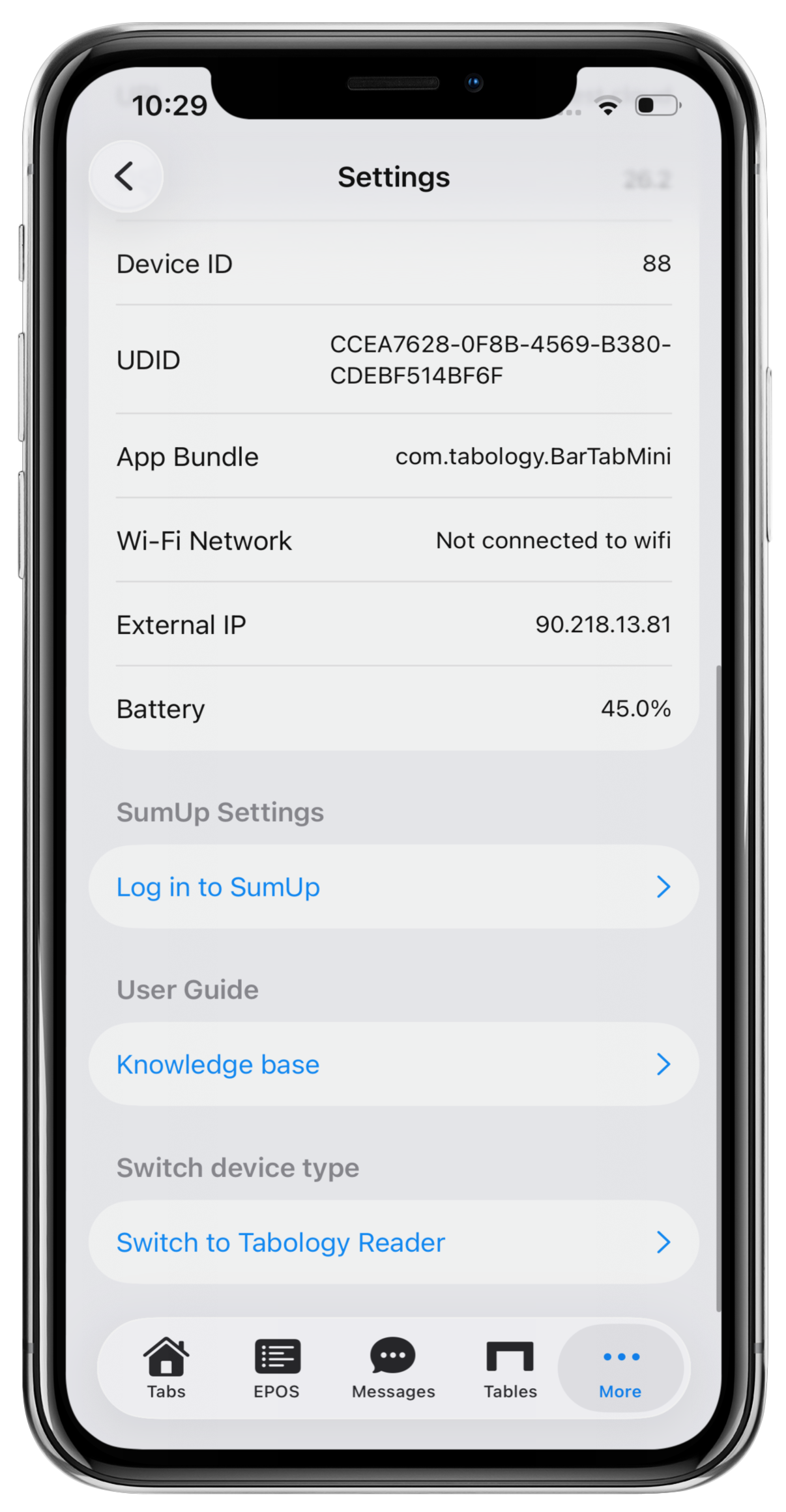
To activate Tap to Pay with SumUp, go to your Mini EPOS and select More > Settings.
Scroll to the SumUp settings section and click Log in to SumUp.
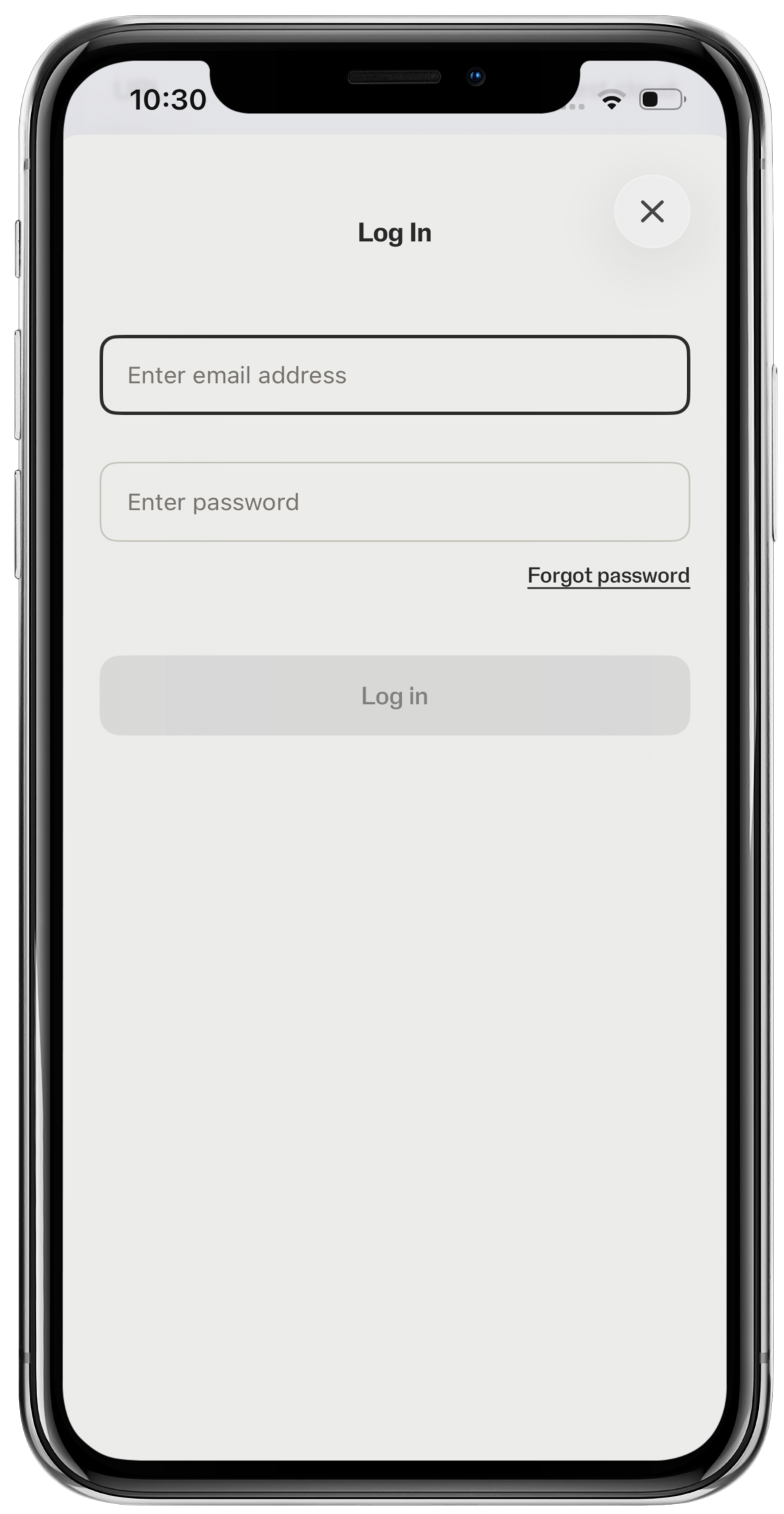
Enter your SumUp user credentials, followed by the Log in button.
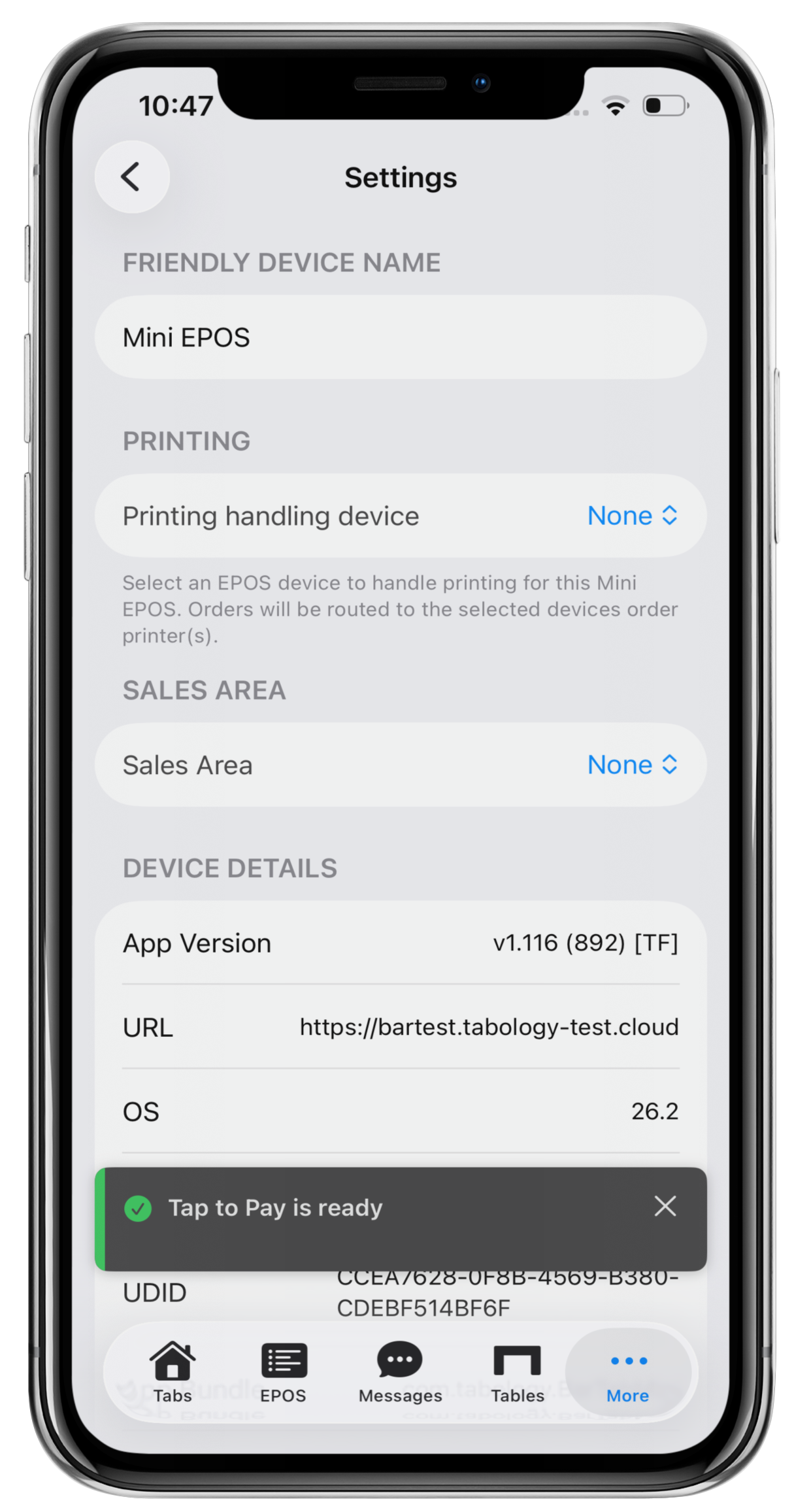
You will be redirected back to the Settings screen. A grey Tap to Pay is ready message will display at the bottom of the screen.
You can now take payments with Tap to Pay.
Was this article helpful?
That’s Great!
Thank you for your feedback
Sorry! We couldn't be helpful
Thank you for your feedback
Feedback sent
We appreciate your effort and will try to fix the article