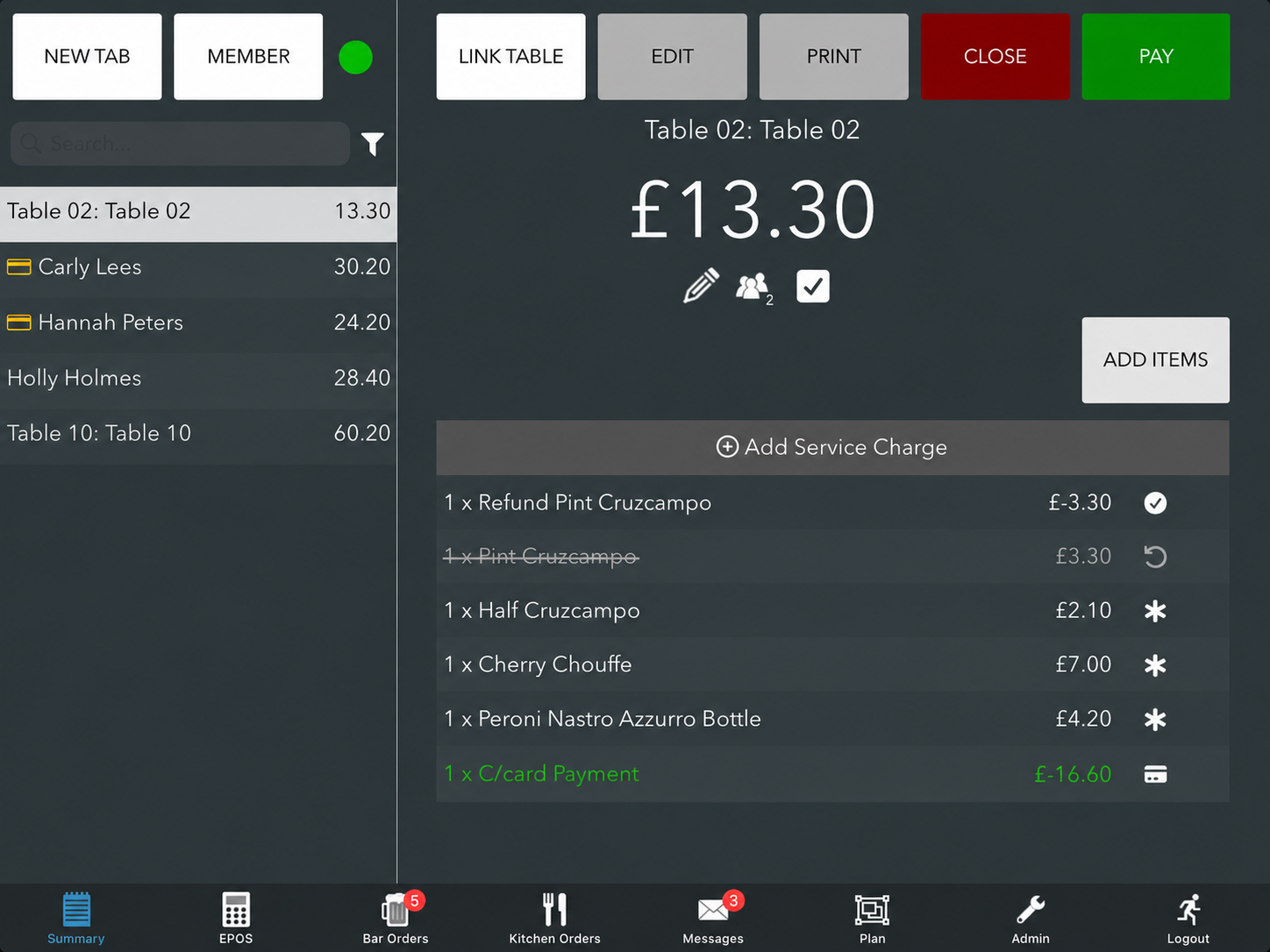
If your EPOS is integrated with Square and you refund one or more items paid by card, the Square refund process will be triggered automatically for the correct amount of the items you have refunded.
Note: No refund modals will display on the EPOS.
When the item has been refunded successfully, it will appear greyed out with a strikethrough.
Triggering a Square refund manually
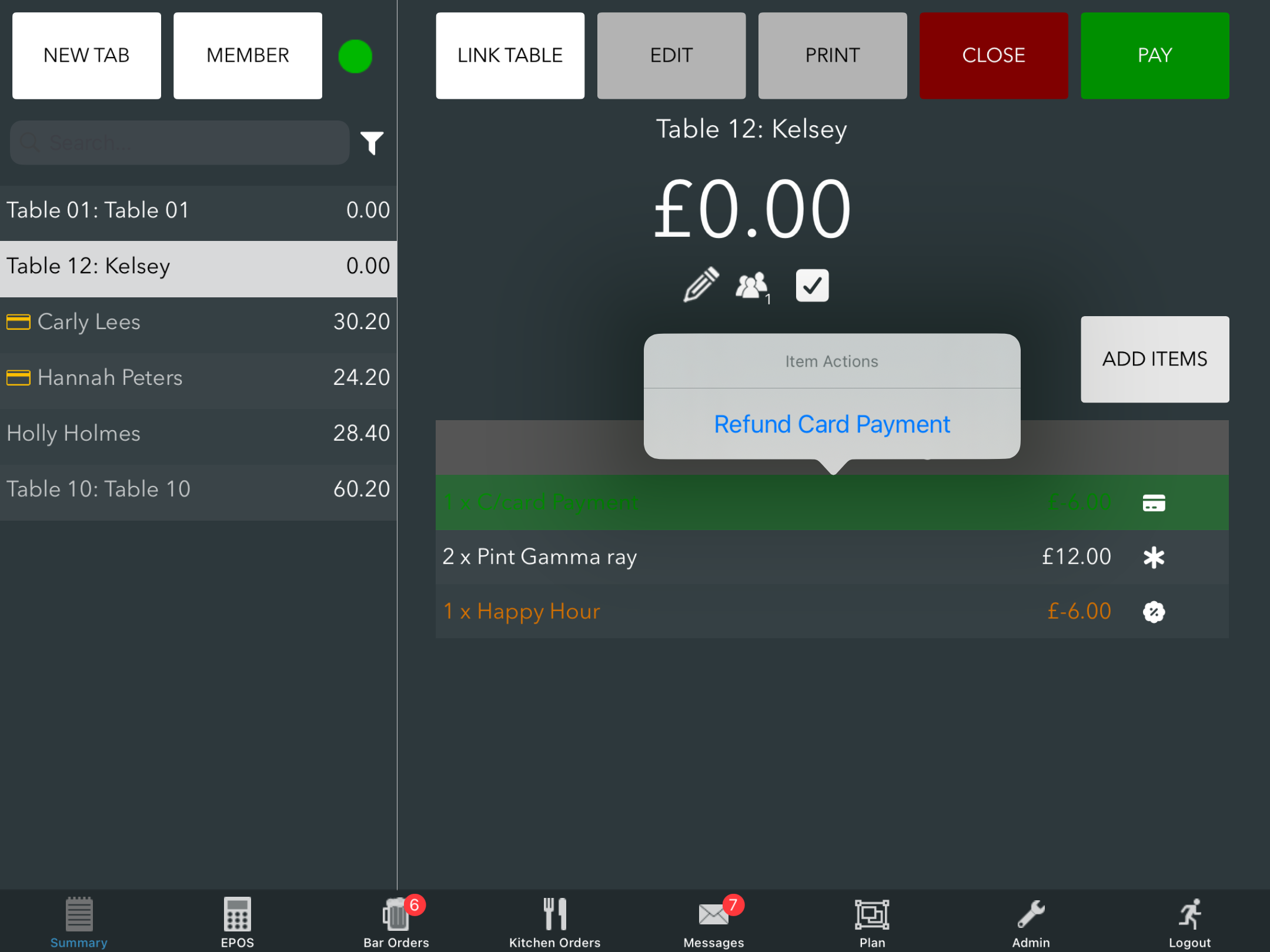
If the tab you refunded items from has multiple payments, or you need to process a refund for a specific amount unrelated to an item, you can manually trigger the Square refund process. To do this, press on the C/card Payment line and press Refund Card Payment.
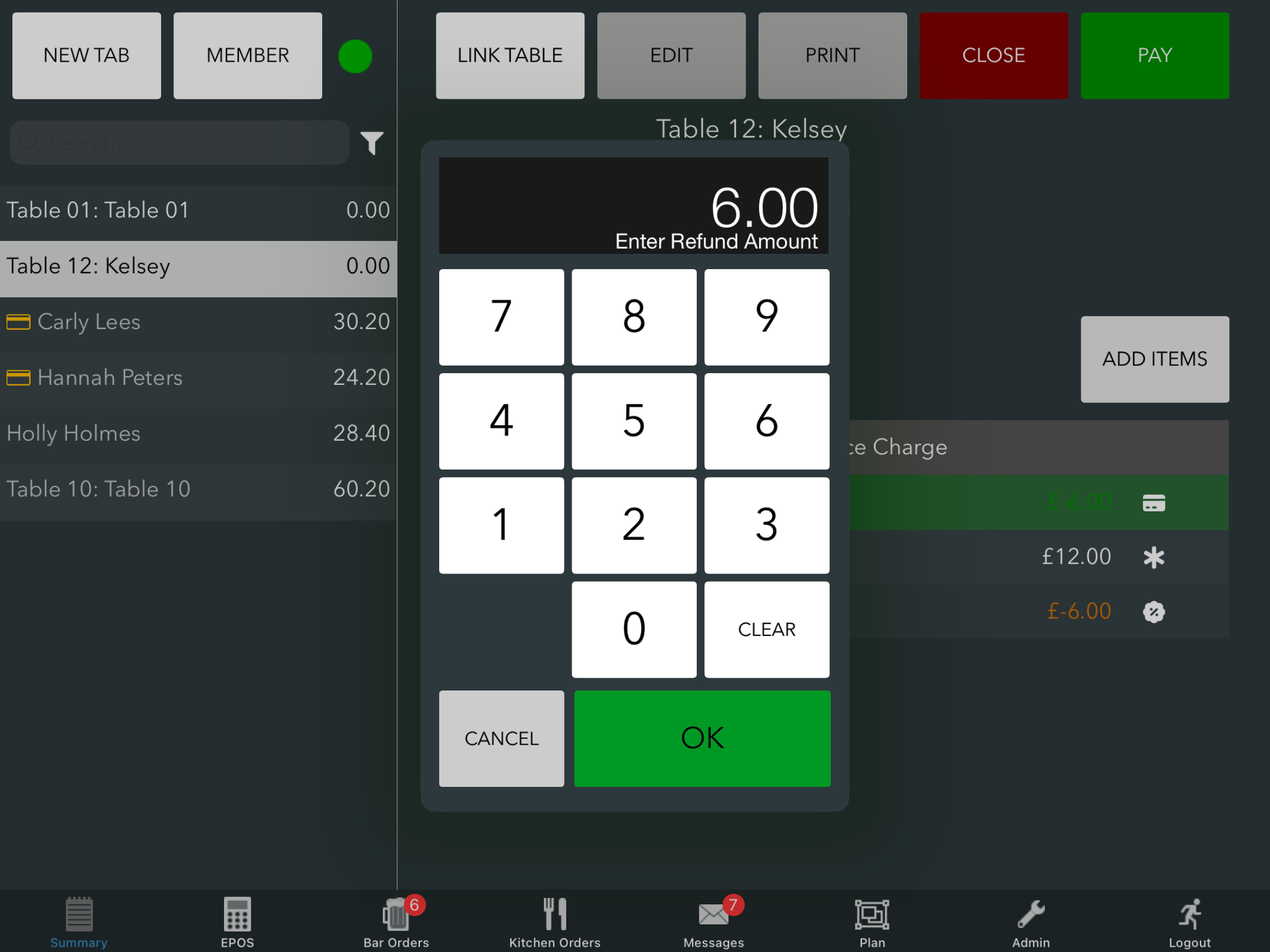
The keypad will display and will automatically default to the full refund amount. If you need to change this, you can do so by entering the value on the keypad. Then click the green Ok button. The amount will be refunded automatically to the customer.
Once refunded, you will return back to the EPOS screen.
Was this article helpful?
That’s Great!
Thank you for your feedback
Sorry! We couldn't be helpful
Thank you for your feedback
Feedback sent
We appreciate your effort and will try to fix the article