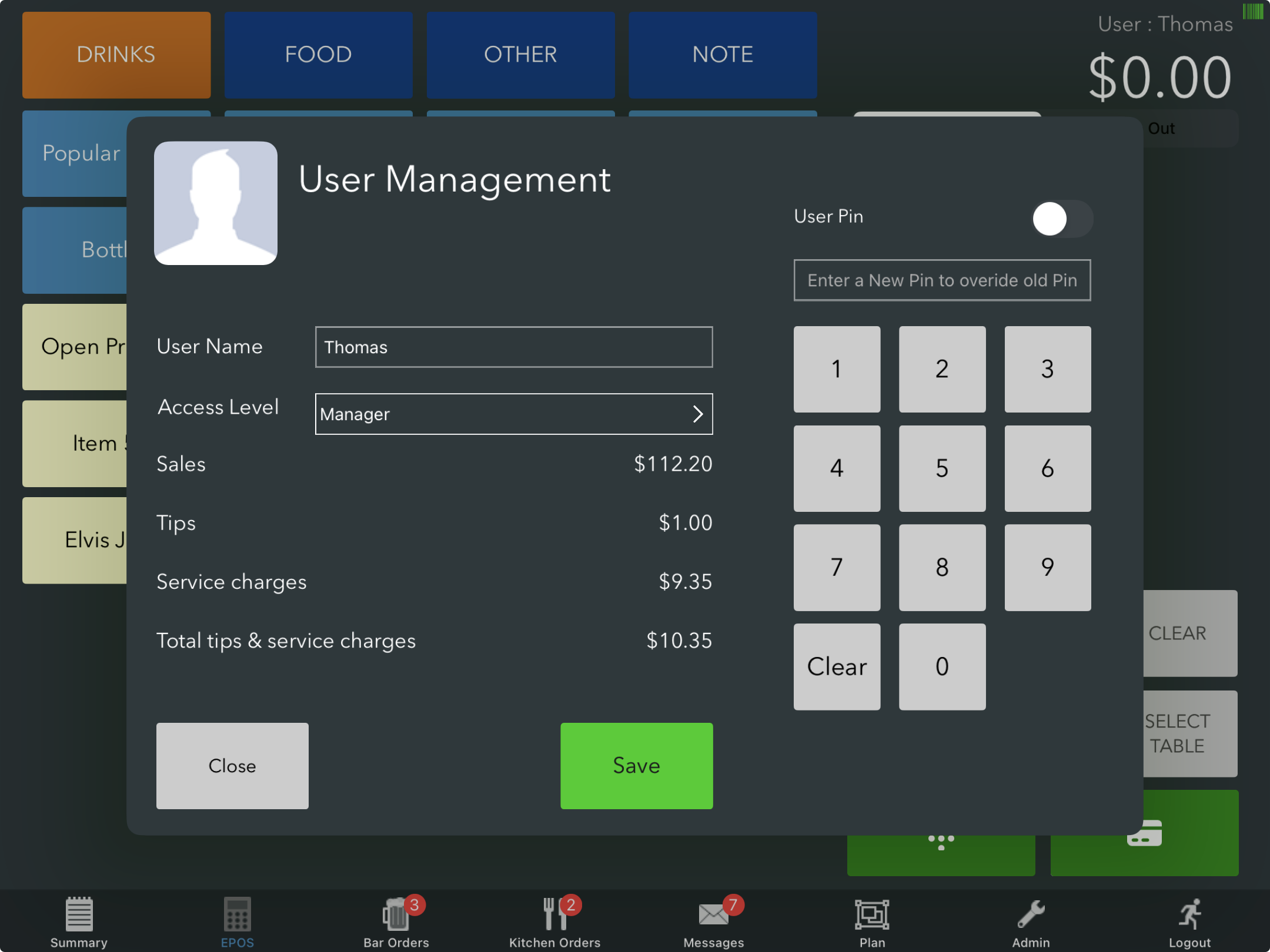
Users can view their own Tips and Service Charges for the current day and time on the POS.
The displayed totals will include tips or service charges from any tabs where the user is assigned as the tab owner.
To view your Tips and Service Charges, long-press your name in the top-right corner of the POS screen.
Under your username and access level, you will see:
- Total sales
- Total tips
- Total service charges
- Total tips & service charges combined
Was this article helpful?
That’s Great!
Thank you for your feedback
Sorry! We couldn't be helpful
Thank you for your feedback
Feedback sent
We appreciate your effort and will try to fix the article