If the tab grabber you use to hold food order tickets covers up the table number, you can turn this setting on to add more white space to the top of your order tickets so the table number remains visible.
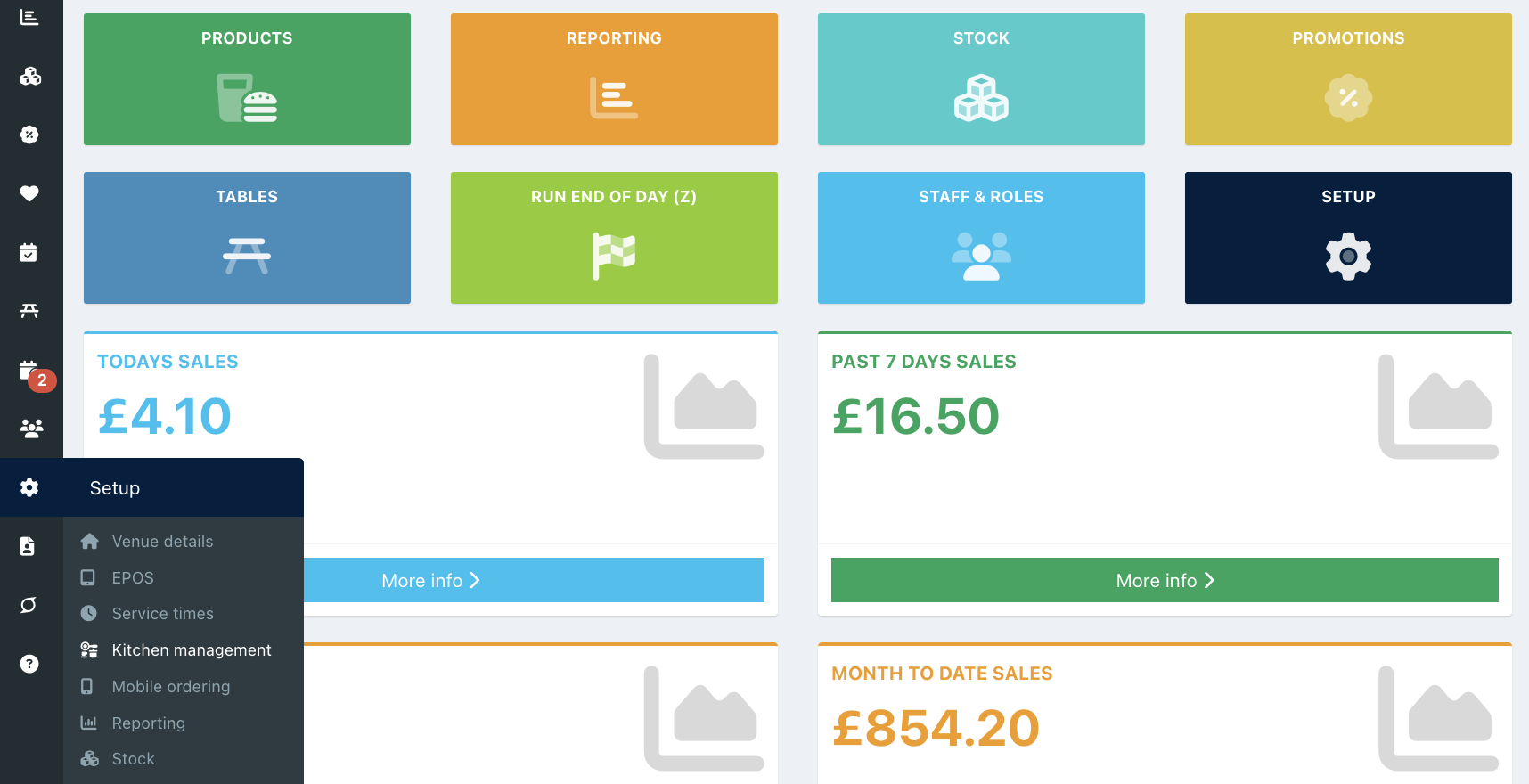
To increase the space on order tickets, go into your back office and select Setup > Kitchen management.
Click the Other settings tab and toggle the setting Add space for tab grabber to On. Then click the blue Save button at the bottom of the screen.
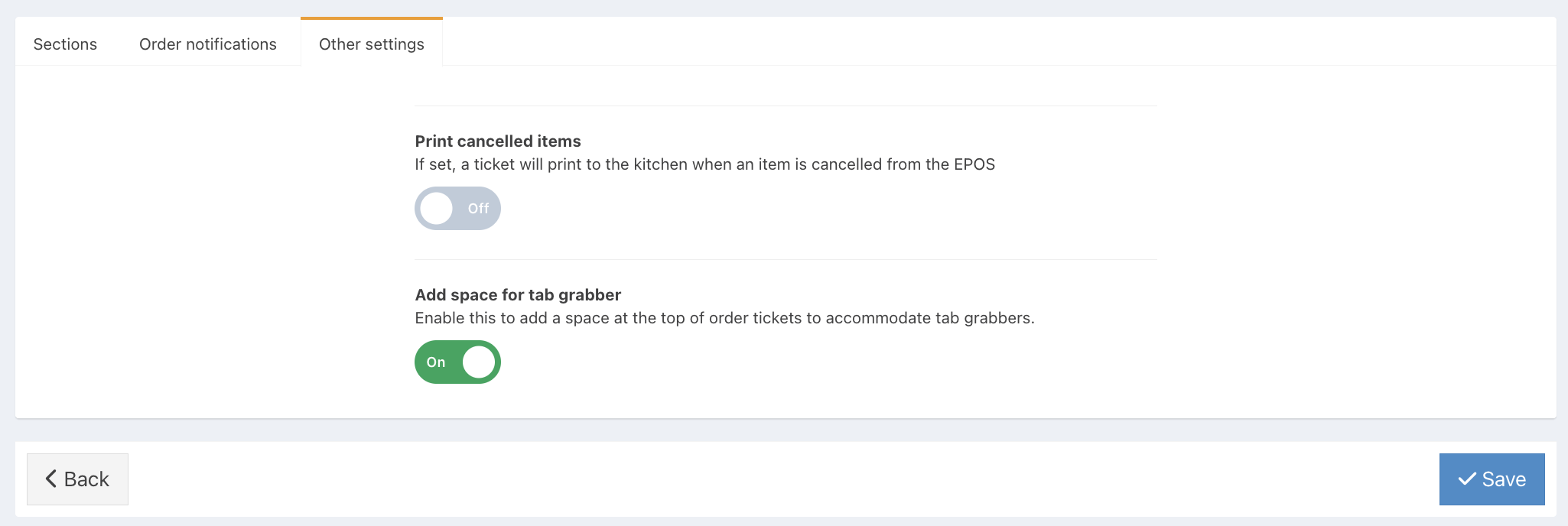
Your food order tickets will now have space at the top for the tab grabber.
Was this article helpful?
That’s Great!
Thank you for your feedback
Sorry! We couldn't be helpful
Thank you for your feedback
Feedback sent
We appreciate your effort and will try to fix the article