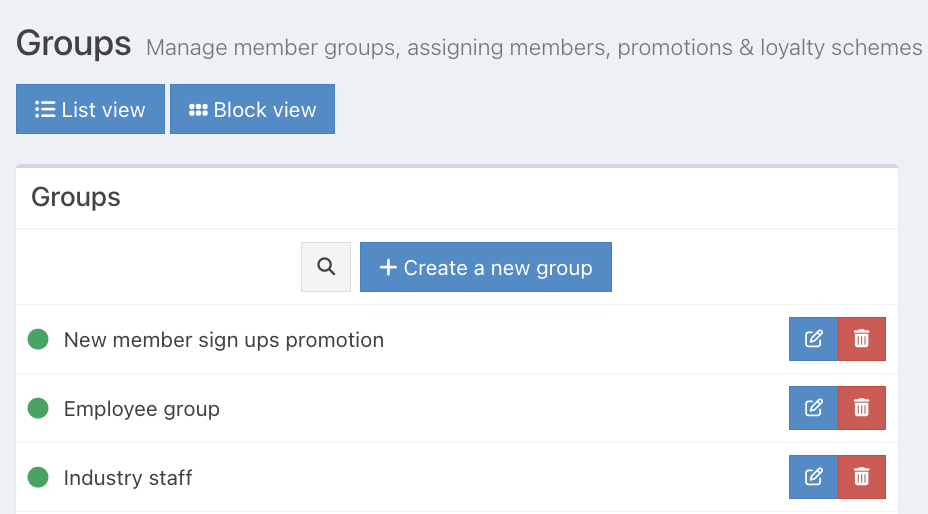
If you have a long list of Loyalty groups, you can use the Search function at the top of the list to quickly locate a Loyalty group.
Click the grey magnifying icon next to the Create a new group button.
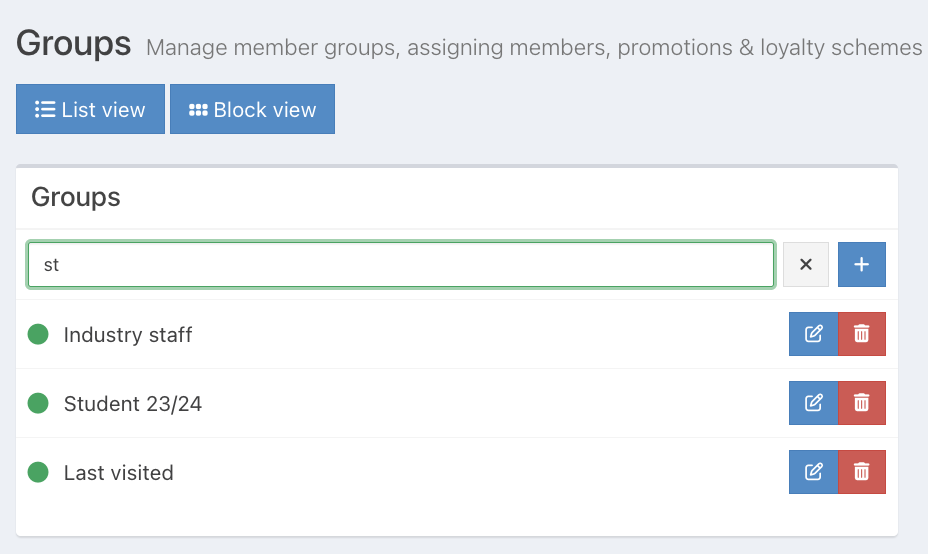
Start typing the name of the Loyalty group into the text field, and any Groups that contain those letters will display.
Was this article helpful?
That’s Great!
Thank you for your feedback
Sorry! We couldn't be helpful
Thank you for your feedback
Feedback sent
We appreciate your effort and will try to fix the article