A list of current live tabs can be viewed in the Management app, along with additional information about the tabs.
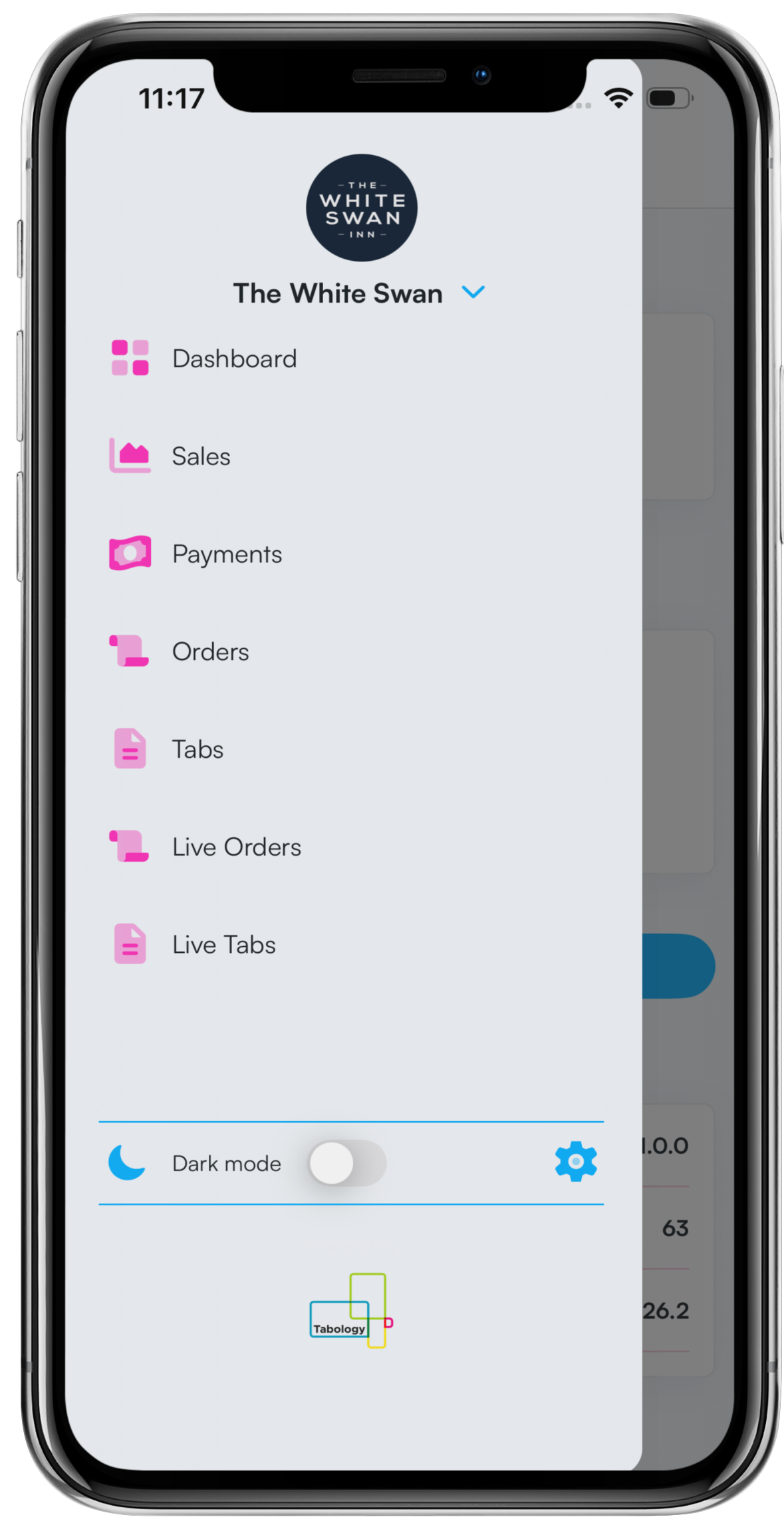
To view live tabs, navigate to the Menu at the top of the dashboard and select Live tabs.
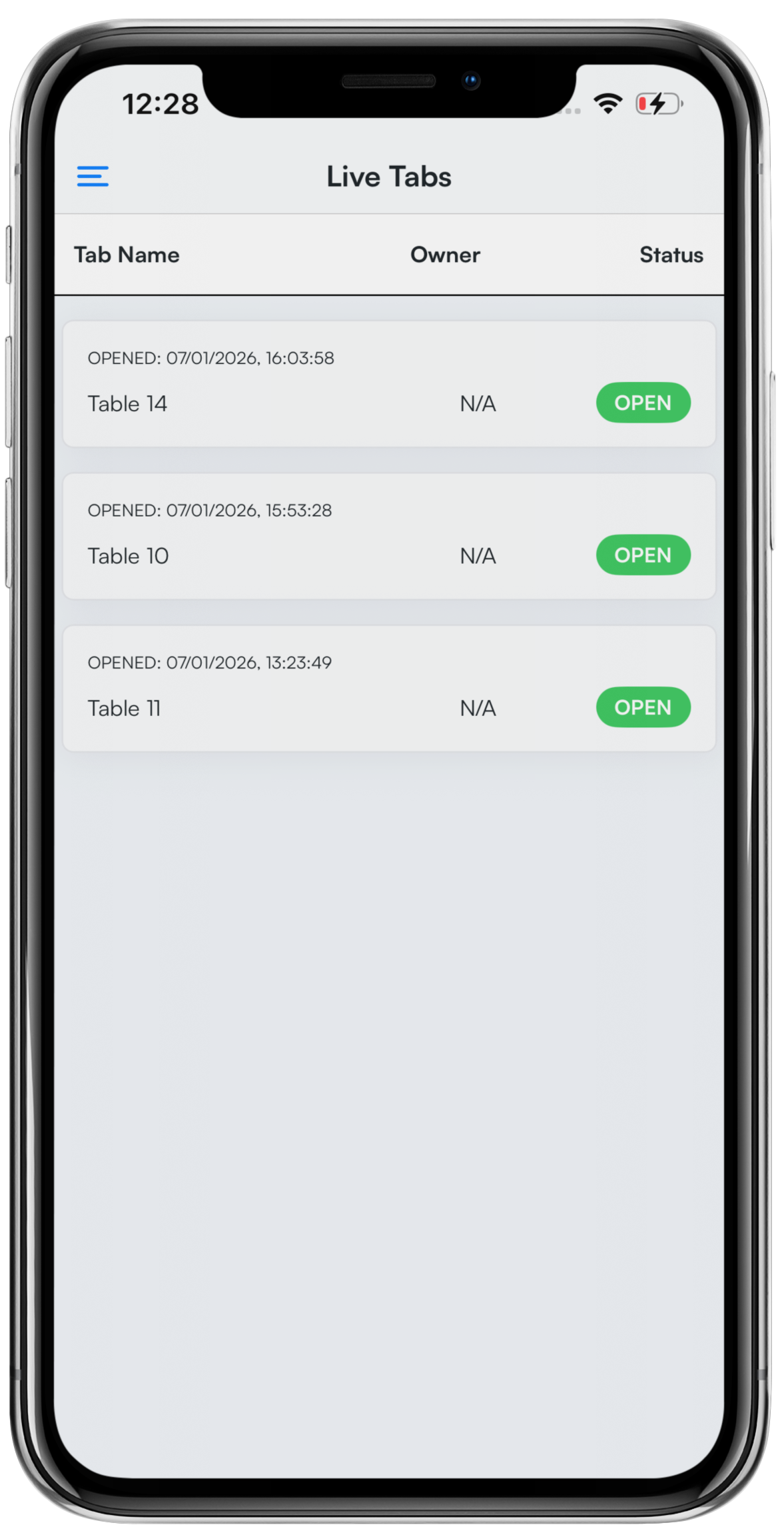
A list of Live tabs will display. You will be able to see:
- The tab name
- The tab owner
- The status of the tab
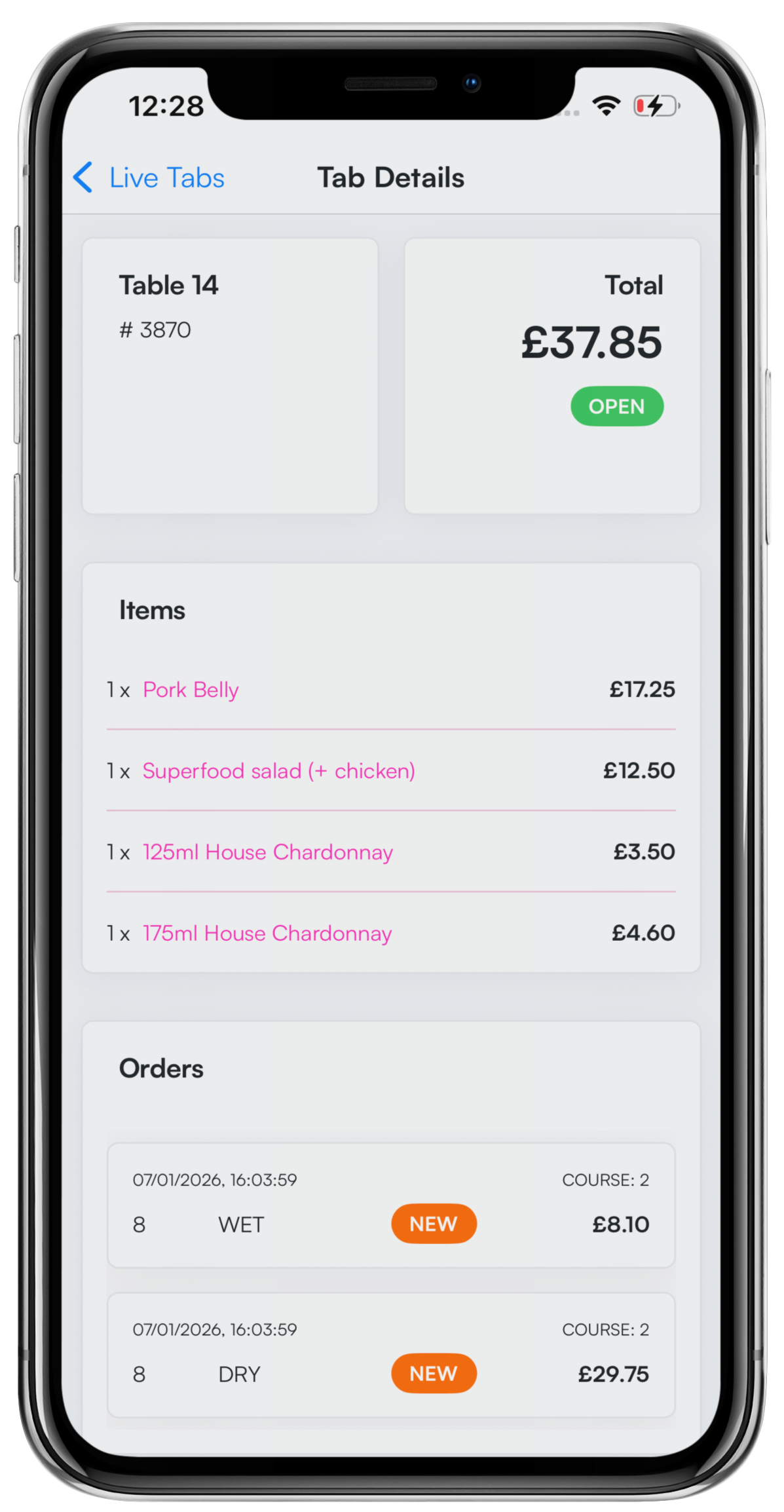
Click on a Tab row to view an individual tab. When viewing a tab, you will be able to see:
- The table name and ID number
- The total value and status of the tab
- Items on the tab
- Any orders associated with tab, broken down by wet and dry (clicking an order will take you to the order details)
- The number of covers on the tab
- The tab type
- The tab owner
- Tab timestamps (opened, closed, or settled)
)
Was this article helpful?
That’s Great!
Thank you for your feedback
Sorry! We couldn't be helpful
Thank you for your feedback
Feedback sent
We appreciate your effort and will try to fix the article