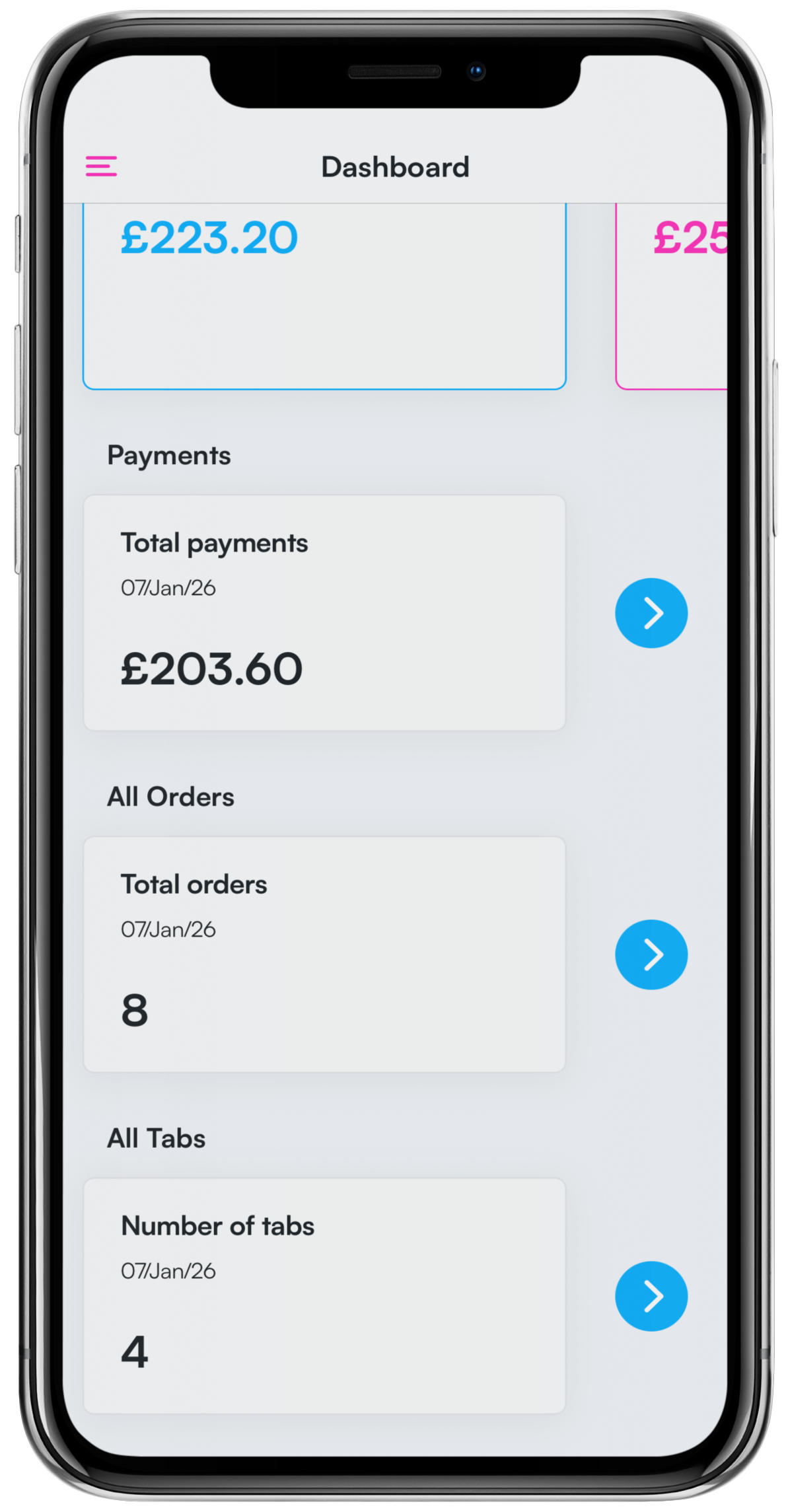
You can view a list of All tabs by clicking the blue Arrow next to the corresponding totals box, or by clicking the Menu icon from the top left of the dashboard.
Tabs displayed will be all tabs since the last cash up was ran.
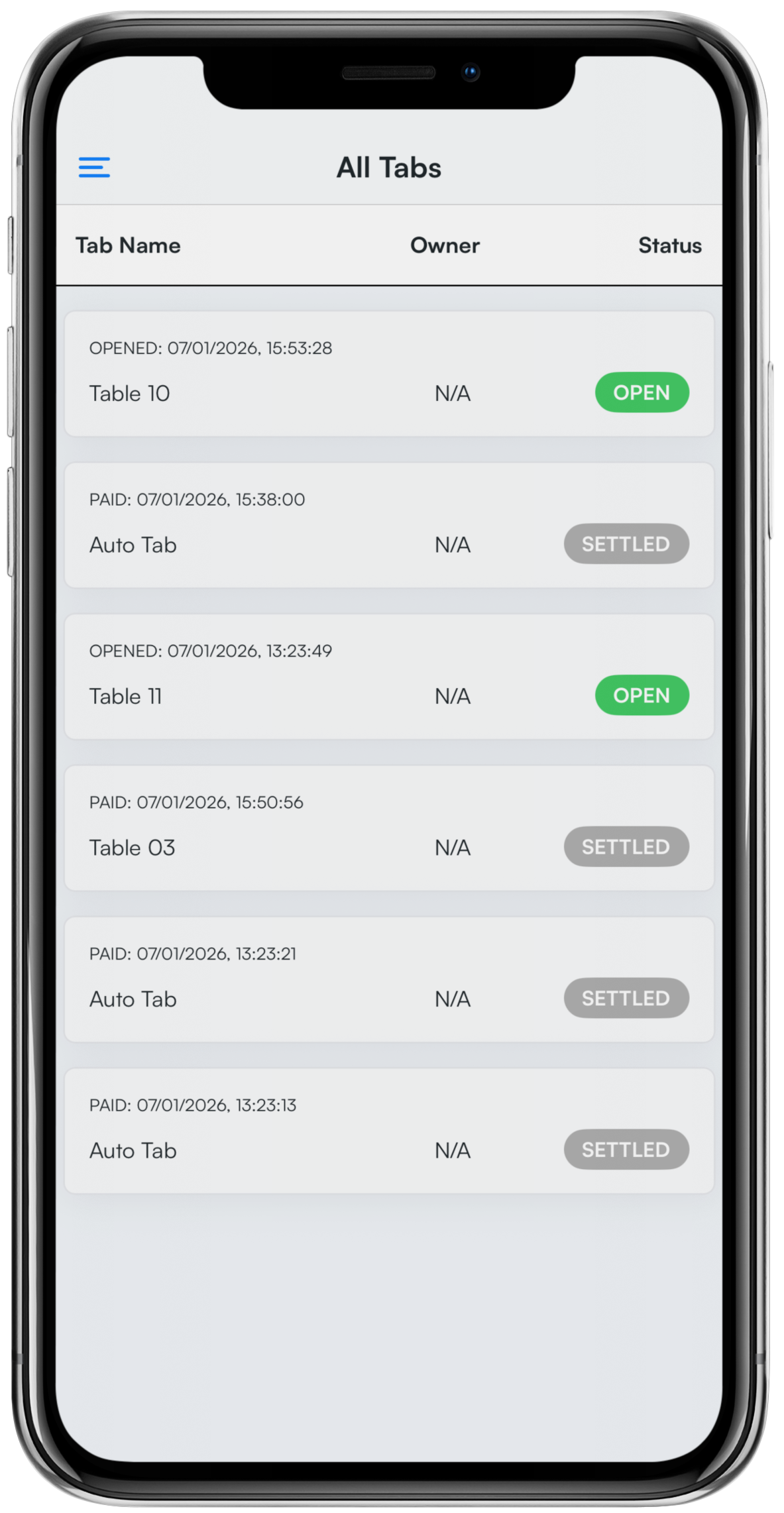
From the List of tabs, you will be able to see:
- The tab name
- The tab owner
- The status of the tab
Tabs will be displayed based on the order they were opened first.
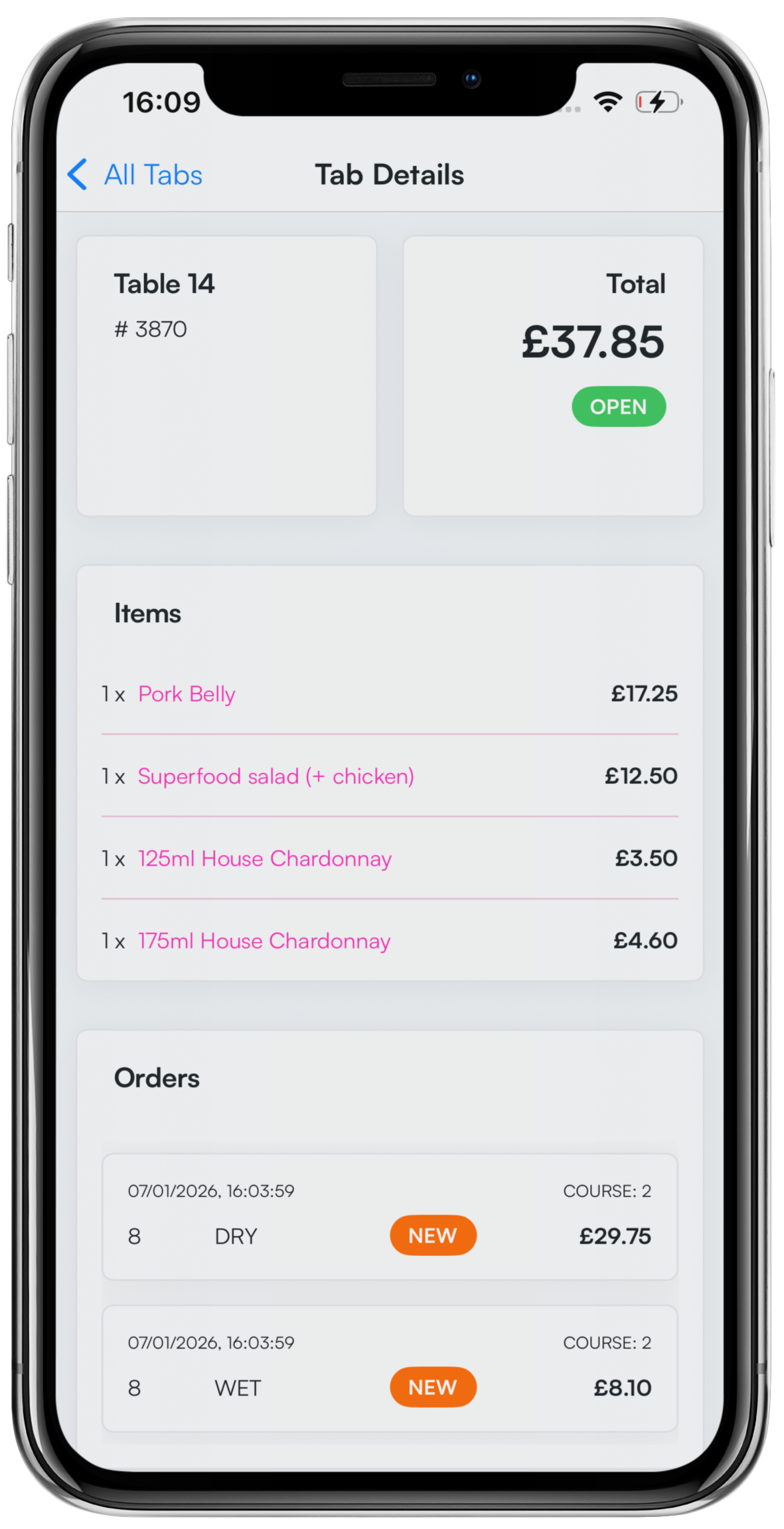
To view an individual tab, click on the Tab row.
The Tab details will display on the screen. You will be able to see:
- The table name and ID
- The status and total amount of the tab
- Items on the tab
- Wet/Dry orders within the tab (clicking an order, will open the order to be viewed)
- The number of covers on the tab
- The tab type
- The tab owner
- Tab timestamps (Opened, Closed and Settled)
Was this article helpful?
That’s Great!
Thank you for your feedback
Sorry! We couldn't be helpful
Thank you for your feedback
Feedback sent
We appreciate your effort and will try to fix the article