If you use Staff rotas, you can enable AI Forecasting to produce more accurate sales forecasts at the click of a button.
Our AI model uses your venue's historical sales and bookings information, alongside your covers booked in for the sales period you are forecasting, to produce your sales forecasts.
If you have departments set up, forecasts will be generated for each department based on the sales linked to the department.
Note: You need at least 14 days of sales history to be able to generate AI sales forecasts.
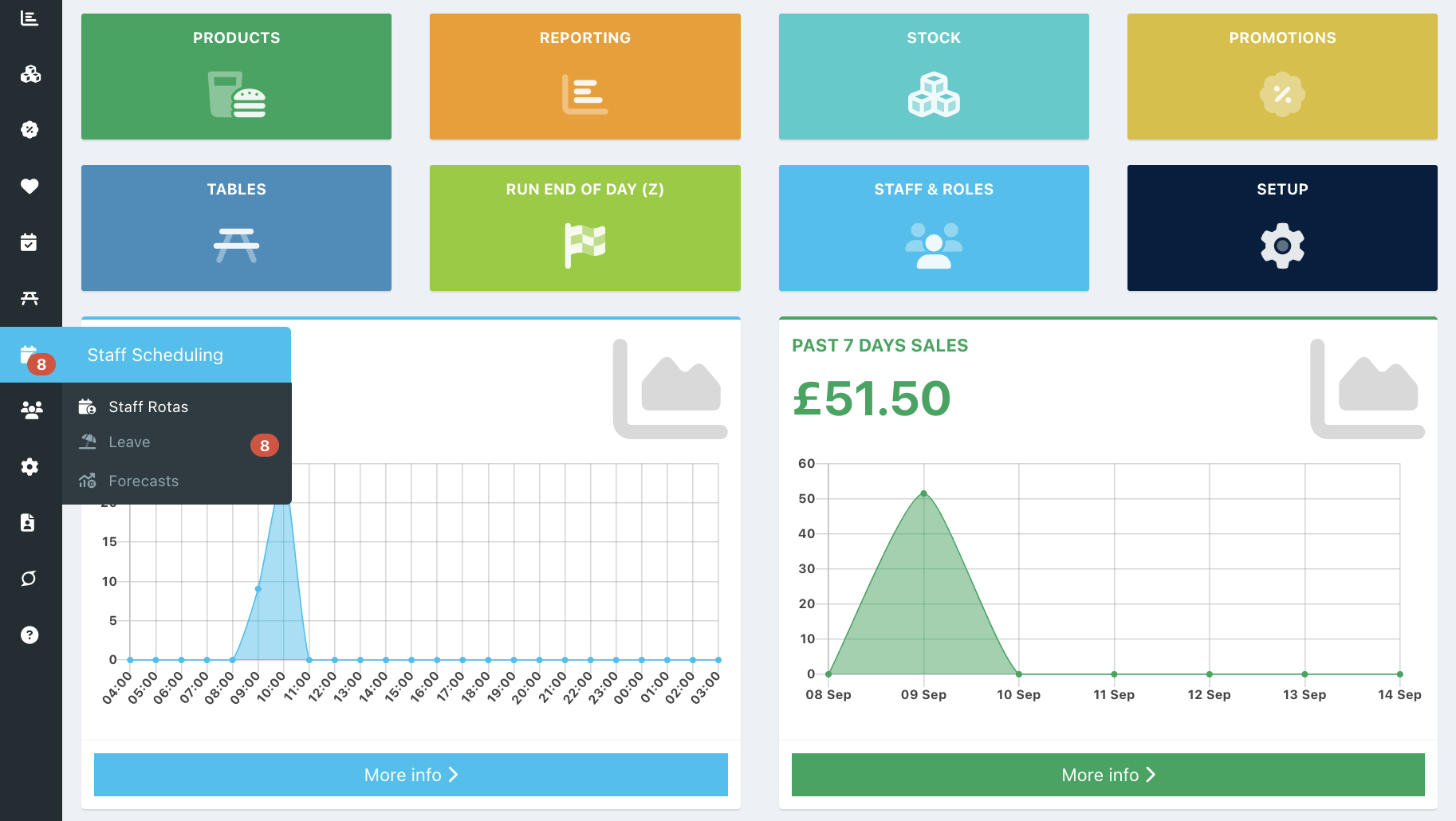
To enable AI forecasting, log in to your back office and select Staff scheduling > Staff rotas from the left-hand navigation.
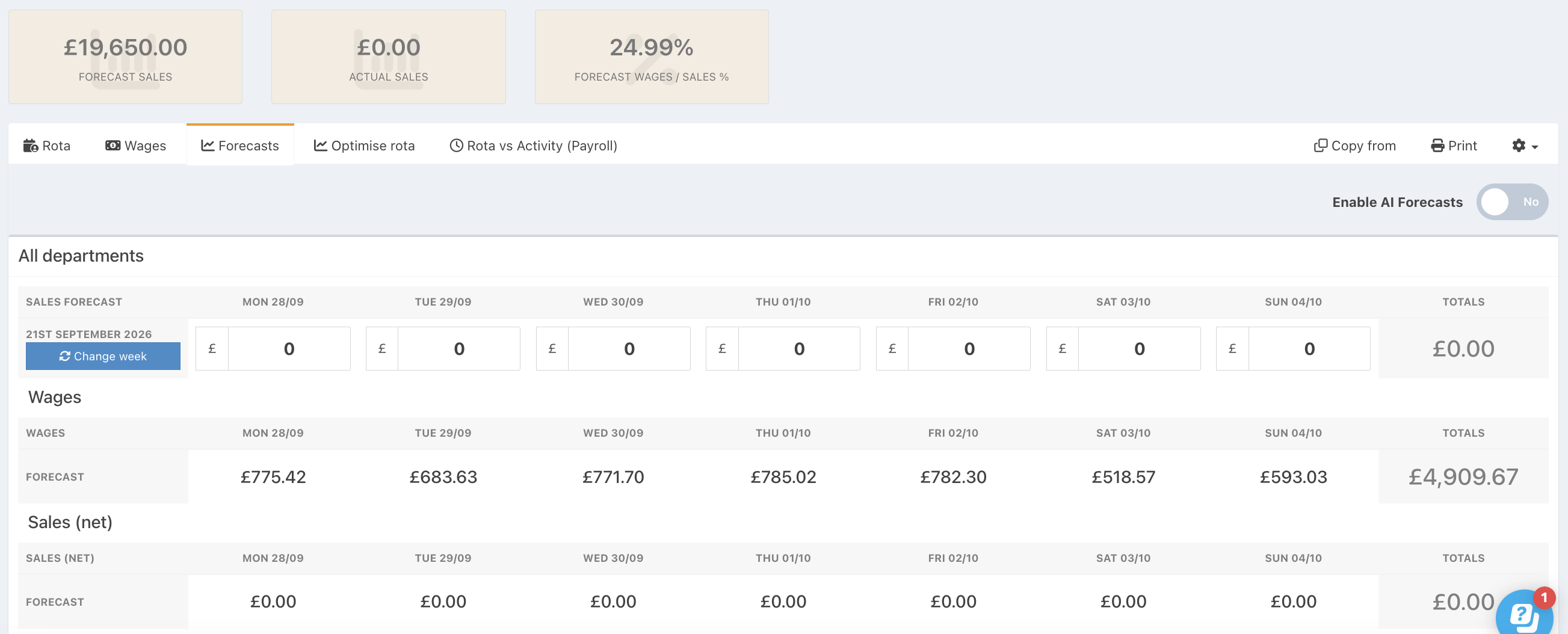
Click on the Forecasts tab.
You will see the Enable AI Forecasts toggle on the right-hand side, above the sales forecast boxes. Toggle this to On.
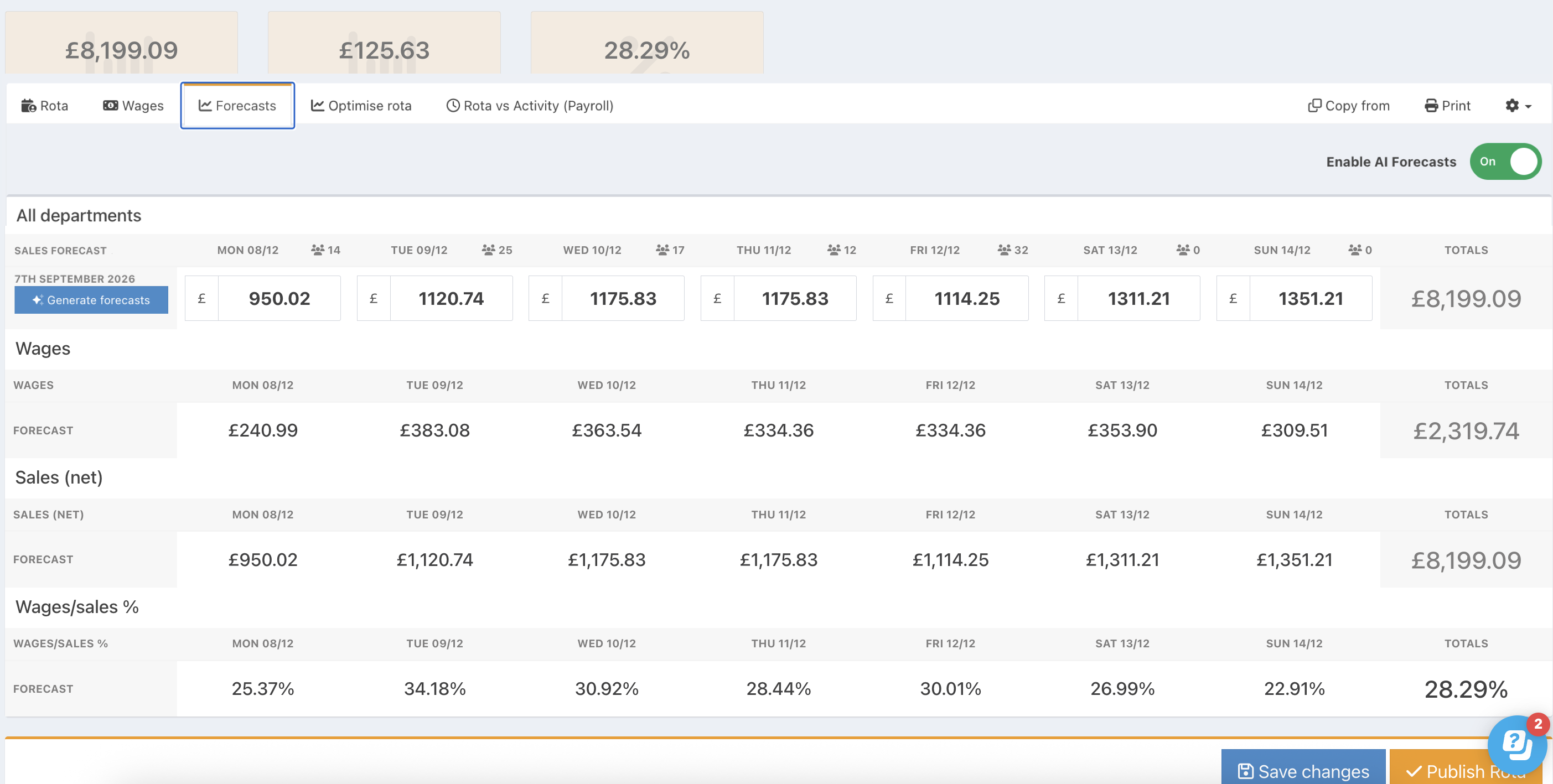
The Change week button (used to select a historical week to base forecasts on in manual forecasting) will be replaced by a Generate Forecasts button.

This button can now be used to generate your forecasts for each week.
Note: If this is the first time you have enabled AI forecasting, it can take up to 15 minutes to train the model before you will be able to generate your first forecasts.
Was this article helpful?
That’s Great!
Thank you for your feedback
Sorry! We couldn't be helpful
Thank you for your feedback
Feedback sent
We appreciate your effort and will try to fix the article