Mains or Course away messages are sent to the kitchen via a message to the kitchen device group, if you have one assigned, and a printout to your kitchen printer.
Mains away is the default message, but you can set specific Course away messages in Kitchen management settings on the back office.
You can send a mains away message to the kitchen for a particular table by pressing the Mains Away or Course away button on the tableplan. Alternatively, you can Mains or Course away through the More section on the EPOS.
To Mains or Course Away on the table plan, log in to your EPOS & click Plan from the bottom navigation bar.
From the tableplan, click onto the table that requires a Mains or Course away message to be sent. Click the Mains away button.
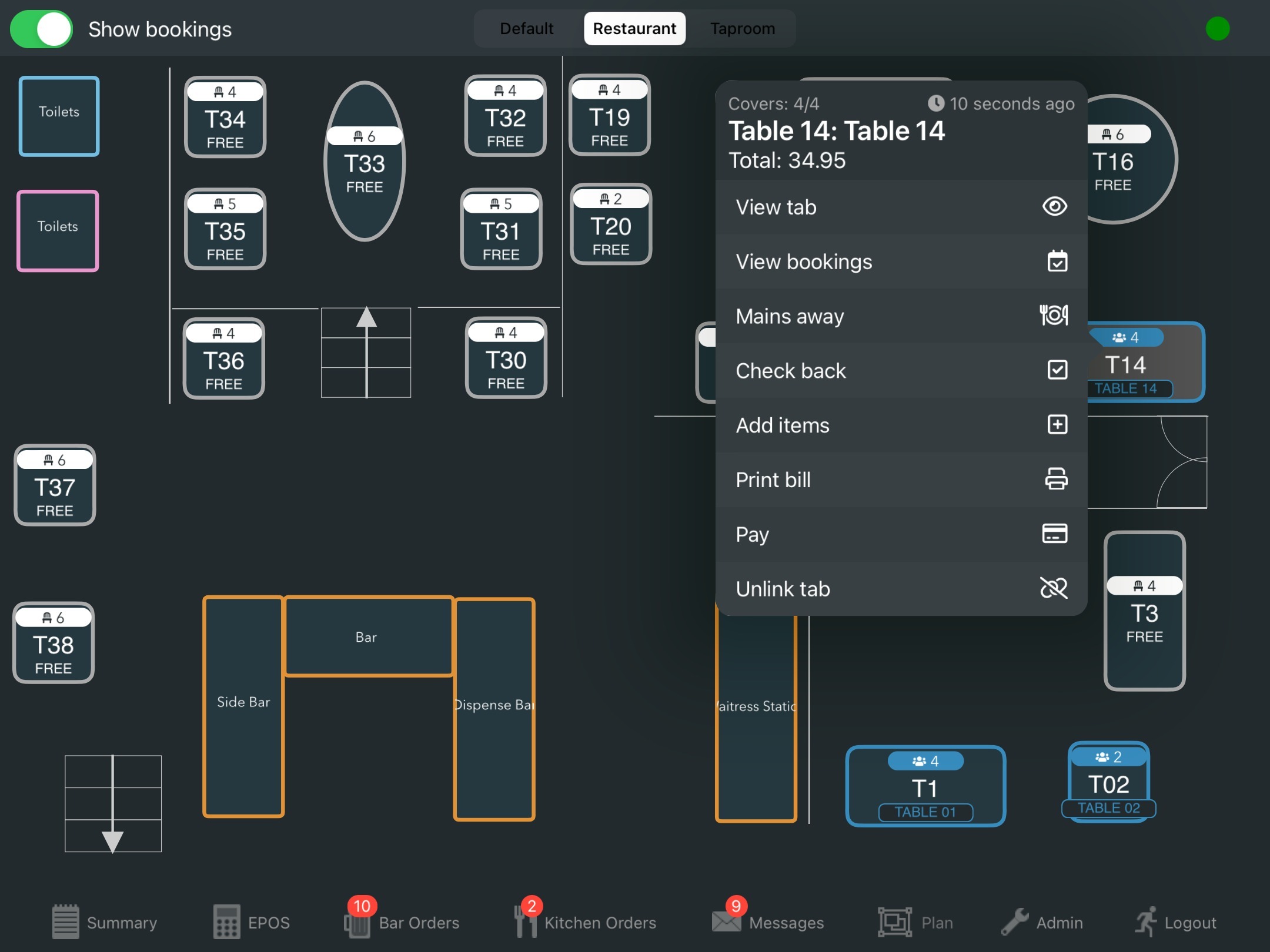
If you have additional course messages, the Mains away button will be replaced with Course away, where you will then select the required course message.
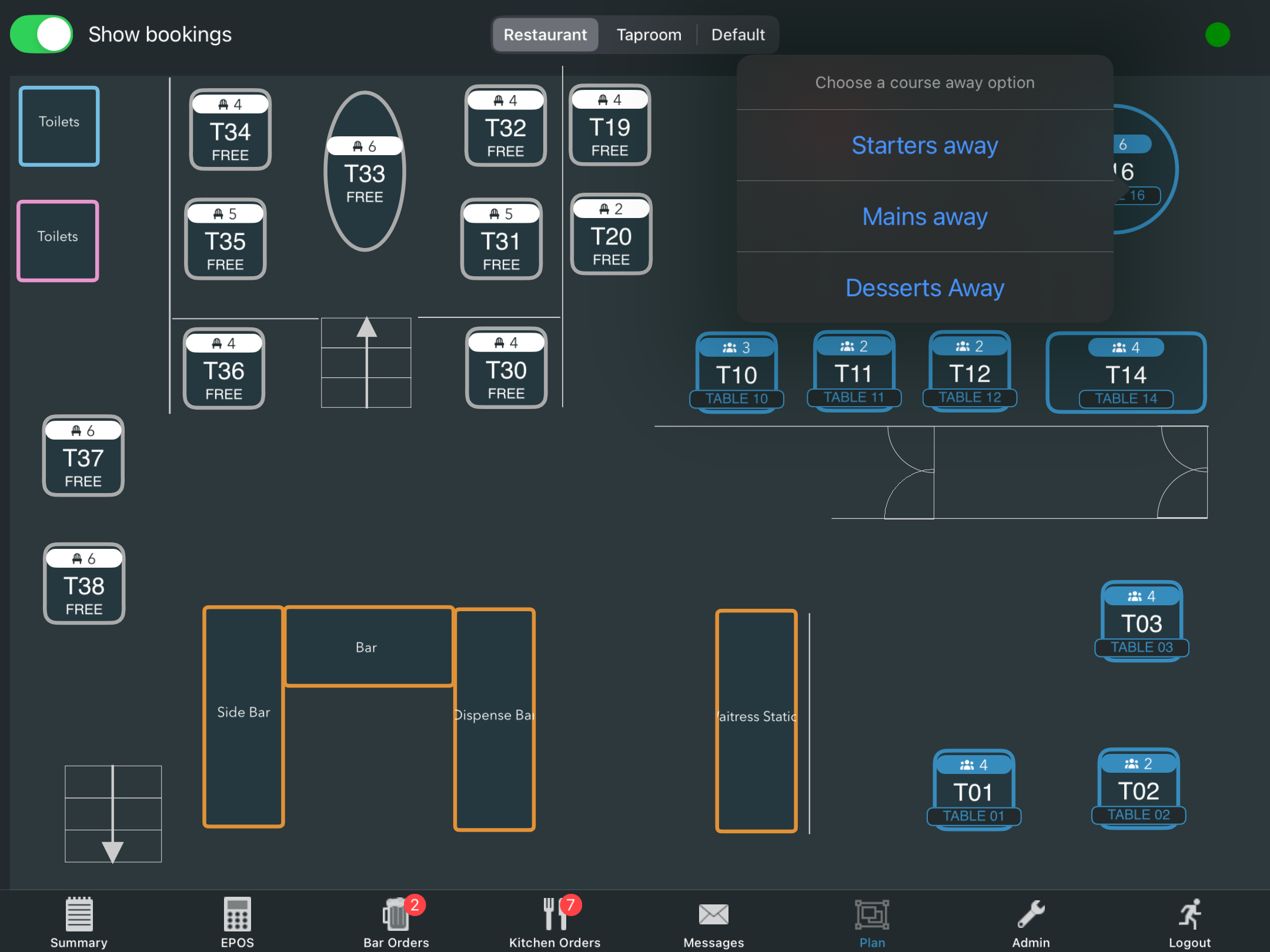
A message will display for you to confirm the Mains or Course away message. Click Yes at the prompt.
A success message will display to confirm, alongside the table number.
The kitchen will see the Mains or Course away message at the top of the screen, and clicking on it will take them to the relevant order ticket. If the tick is clicked, the message will also be marked as acknowledged on the messages screen.
The Mains or Course away message will display on the tab, along with the time & who called the Mains or Course away.
Note: If you use sections for printing the Mains or Course away ticket will still print to the corresponding printer if one is assigned. If no printer is assigned to auto print food, the Mains or Course away ticket will print to every section printer.
Was this article helpful?
That’s Great!
Thank you for your feedback
Sorry! We couldn't be helpful
Thank you for your feedback
Feedback sent
We appreciate your effort and will try to fix the article