Webhooks enable Tabology to send real-time notifications to an external system whenever certain events occur, such as a cash up being run, a booking being confirmed, or a loyalty member being created. This is useful for integrating with automation platforms like Zapier, or connecting to your own systems and workflows.
When an event occurs, Tabology sends an HTTP POST request containing the relevant data directly to a URL of your choice. There is no need to poll or query Tabology for data; the information is delivered automatically with each event.
Webhooks are configured in the Back Office under Setup > Integrations.
Scroll down to the bottom of the integration page and press the Configure button, under the Webhooks heading.
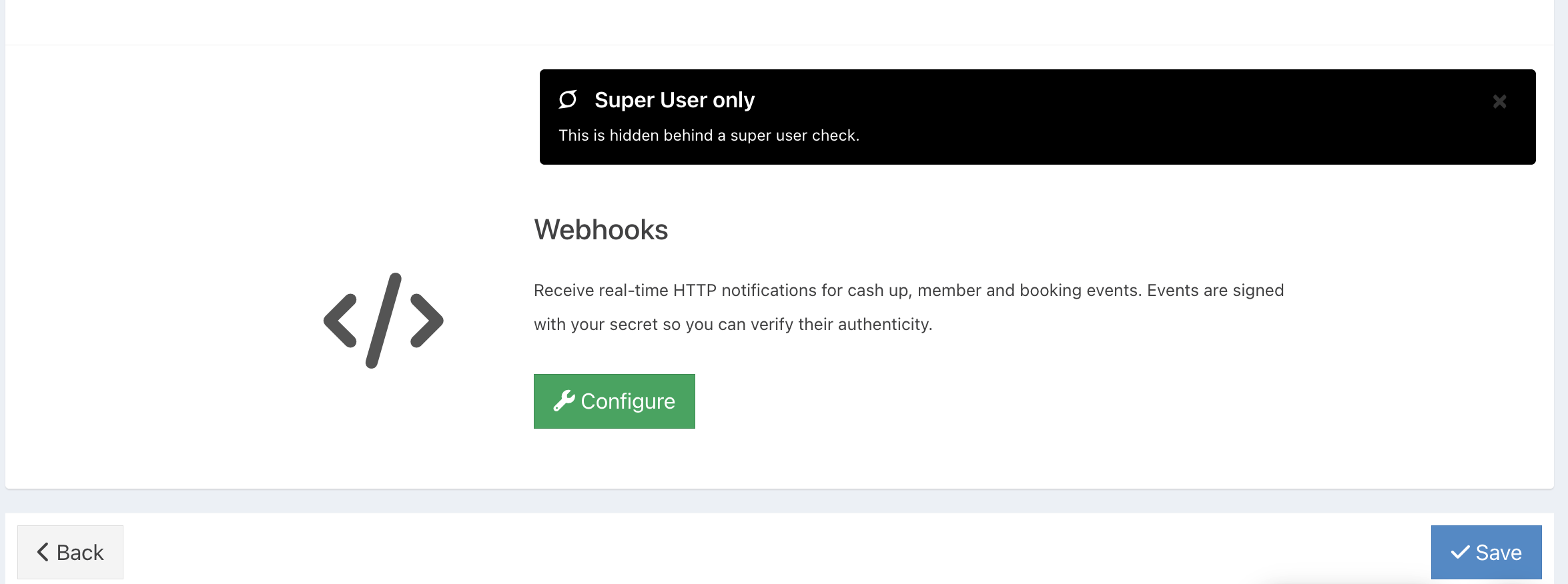
Configuring webhooks
The Configure Webhooks screen has two tabs: Webhook Settings and Delivery Log.
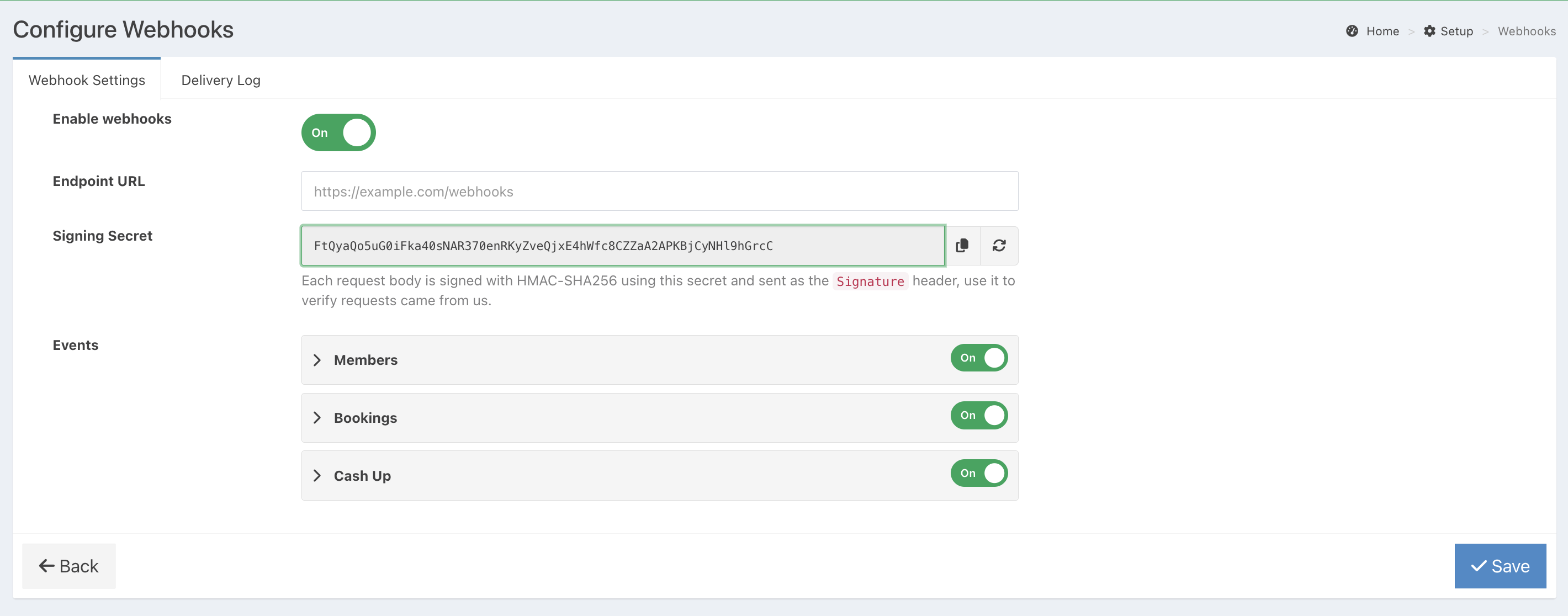
Enable webhooks
Use the toggle to turn webhooks on or off. Webhooks will only fire when this is set to On.
Endpoint URL
Enter the URL where Tabology should send event data. This will typically be a webhook URL provided by your automation platform (for example, a Zapier "Catch Hook" URL) or an endpoint on your own server.
Signing Secret
A secret key is automatically generated for your account. Every request Tabology sends is signed using HMAC-SHA256 with this secret, and the signature is included in the Signature header. You can use this to verify that requests genuinely came from Tabology. Use the copy icon to copy the secret to your clipboard, or the refresh icon to generate a new one.
Note: If you regenerate your signing secret, any existing integrations that rely on the old secret will need to be updated.
Events
You can control which events trigger webhook notifications. Events are grouped into three categories: Members, Bookings, and Cash Up. Each category can be toggled on or off as a group, and individual events within each category can also be enabled or disabled independently.
Click the arrow next to each category to expand it and see individual events, along with an Example payload showing the data structure Tabology will send for that event type.
Members
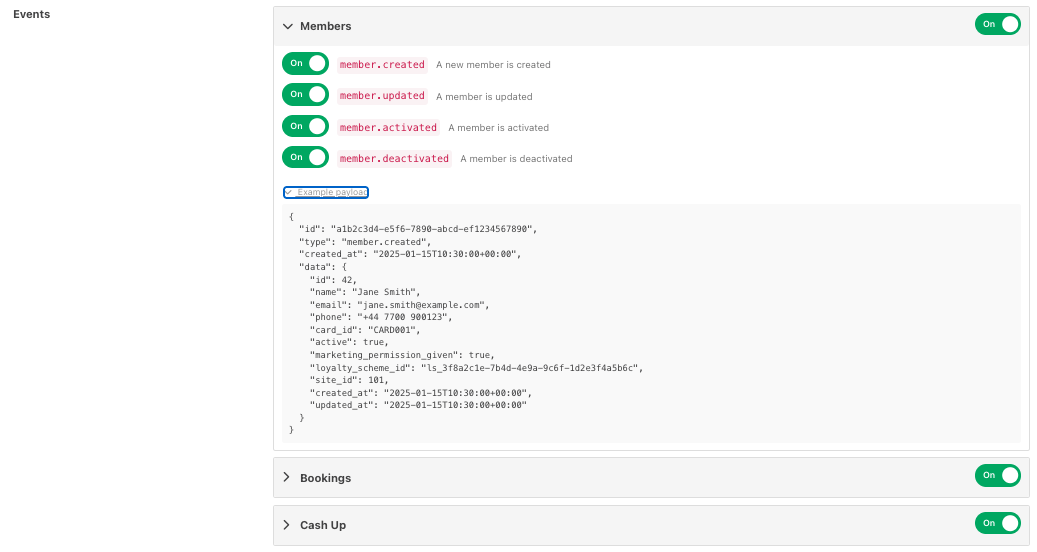
Example member payload:
{
"id": "a1b2c3d4-e5f6-7890-abcd-ef1234567890",
"type": "member.created",
"created_at": "2025-01-15T10:30:00+00:00",
"data": {
"id": 42,
"name": "Jane Smith",
"email": "jane.smith@example.com",
"phone": "+44 7700 900123",
"card_id": "CARD001",
"active": true,
"marketing_permission_given": true,
"loyalty_scheme_id": "ls_3f8a2c1e-7b4d-4e9a-9c6f-1d2e3f4a5b6c",
"site_id": 101,
"created_at": "2025-01-15T10:30:00+00:00",
"updated_at": "2025-01-15T10:30:00+00:00"
}
}
Bookings
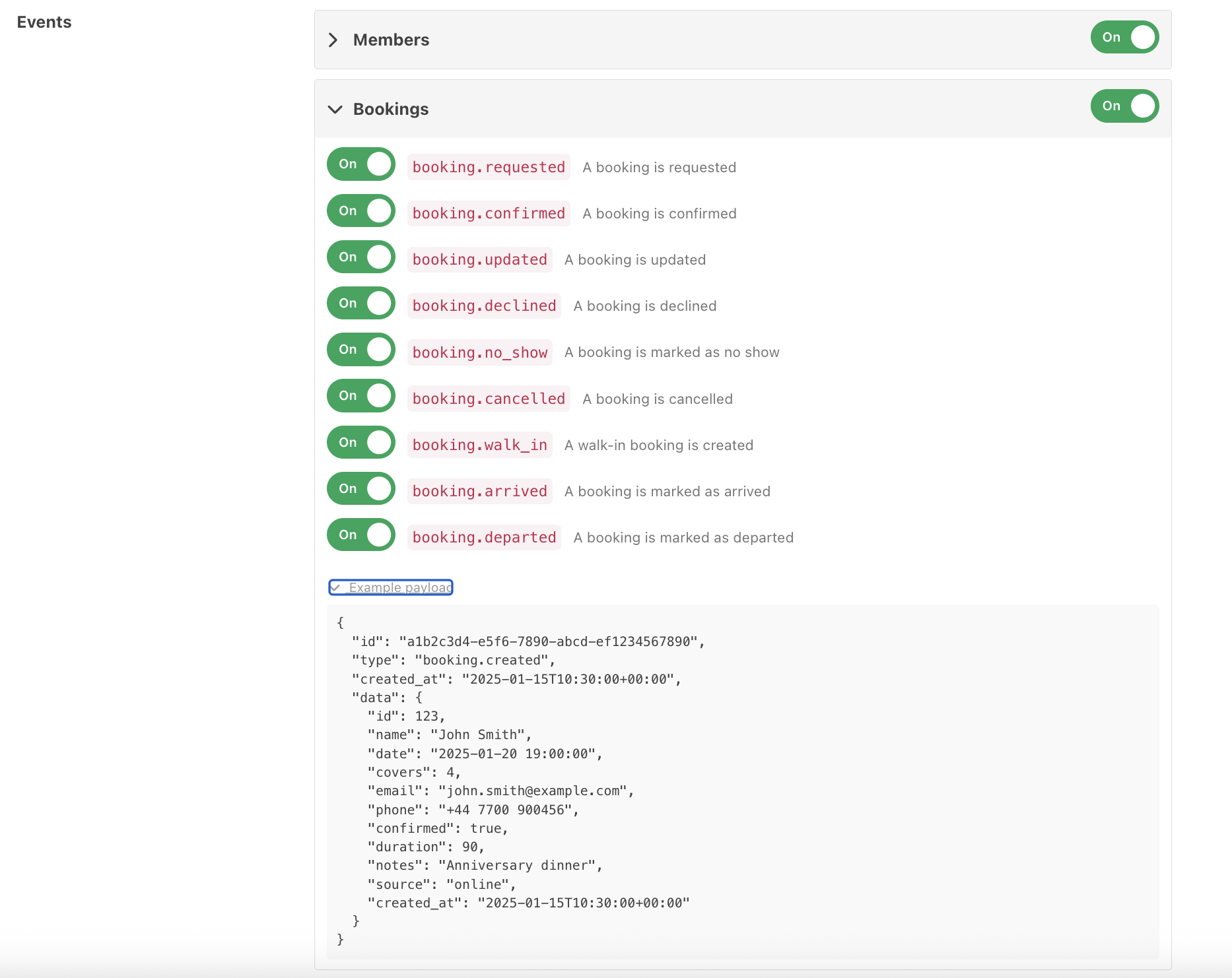
Example payload:
json{
"id": "a1b2c3d4-e5f6-7890-abcd-ef1234567890",
"type": "booking.created",
"created_at": "2025-01-15T10:30:00+00:00",
"data": {
"id": 123,
"name": "John Smith",
"date": "2025-01-20 19:00:00",
"covers": 4,
"email": "john.smith@example.com",
"phone": "+44 7700 900456",
"confirmed": true,
"duration": 90,
"notes": "Anniversary dinner",
"source": "online",
"created_at": "2025-01-15T10:30:00+00:00"
}
}
Cash Up
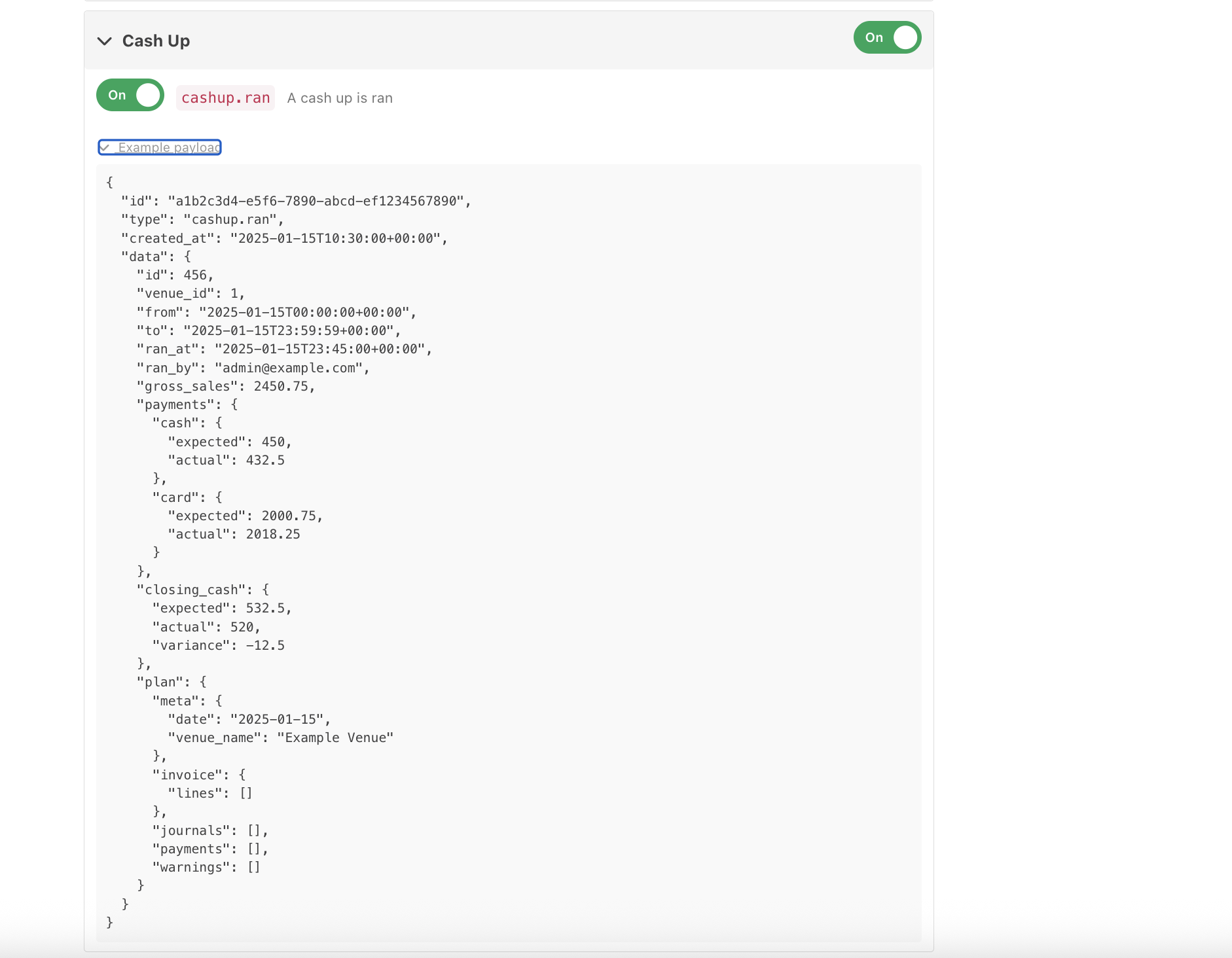
Example payload:
json{
"id": "a1b2c3d4-e5f6-7890-abcd-ef1234567890",
"type": "cashup.ran",
"created_at": "2025-01-15T10:30:00+00:00",
"data": {
"id": 456,
"venue_id": 1,
"from": "2025-01-15T00:00:00+00:00",
"to": "2025-01-15T23:59:59+00:00",
"ran_at": "2025-01-15T23:45:00+00:00",
"ran_by": "admin@example.com",
"gross_sales": 2450.75,
"payments": {
"cash": { "expected": 450, "actual": 432.5 },
"card": { "expected": 2000.75, "actual": 2018.25 }
}
}
}
Saving your settings
Once you have configured your endpoint URL and selected your events, click Save to apply the changes. Webhooks will begin firing immediately for any enabled events.
Delivery Log
The Delivery Log tab shows a record of recent webhook deliveries, including the event type, the time it was sent, and whether the delivery was successful. Use this to troubleshoot if you are not receiving events as expected.
Using webhooks with Zapier
Zapier is a popular automation platform that can receive webhook events and trigger actions in hundreds of other apps. For example, adding a row to a spreadsheet when a cash up runs, or sending an email when a new booking is confirmed.
To connect Tabology webhooks to Zapier:
In Zapier, create a new Zap and choose Webhooks by Zapier as the trigger.
- Select Catch Hook as the trigger event and copy the webhook URL that Zapier provides.
- In Tabology Back Office, paste that URL into the Endpoint URL field on the Configure Webhooks screen.
- Enable the events you want to receive and click Save.
- Back in Zapier, trigger a test event (for example, run a cash up in a test environment) and Zapier will detect the payload automatically.
- Complete your Zap by configuring the action you want to perform with the data.
Was this article helpful?
That’s Great!
Thank you for your feedback
Sorry! We couldn't be helpful
Thank you for your feedback
Feedback sent
We appreciate your effort and will try to fix the article