The My tabs filter shows only tabs that are allocated to you as the tab owner.
To view your tabs, click the blue Filter icon in the top left of the screen.
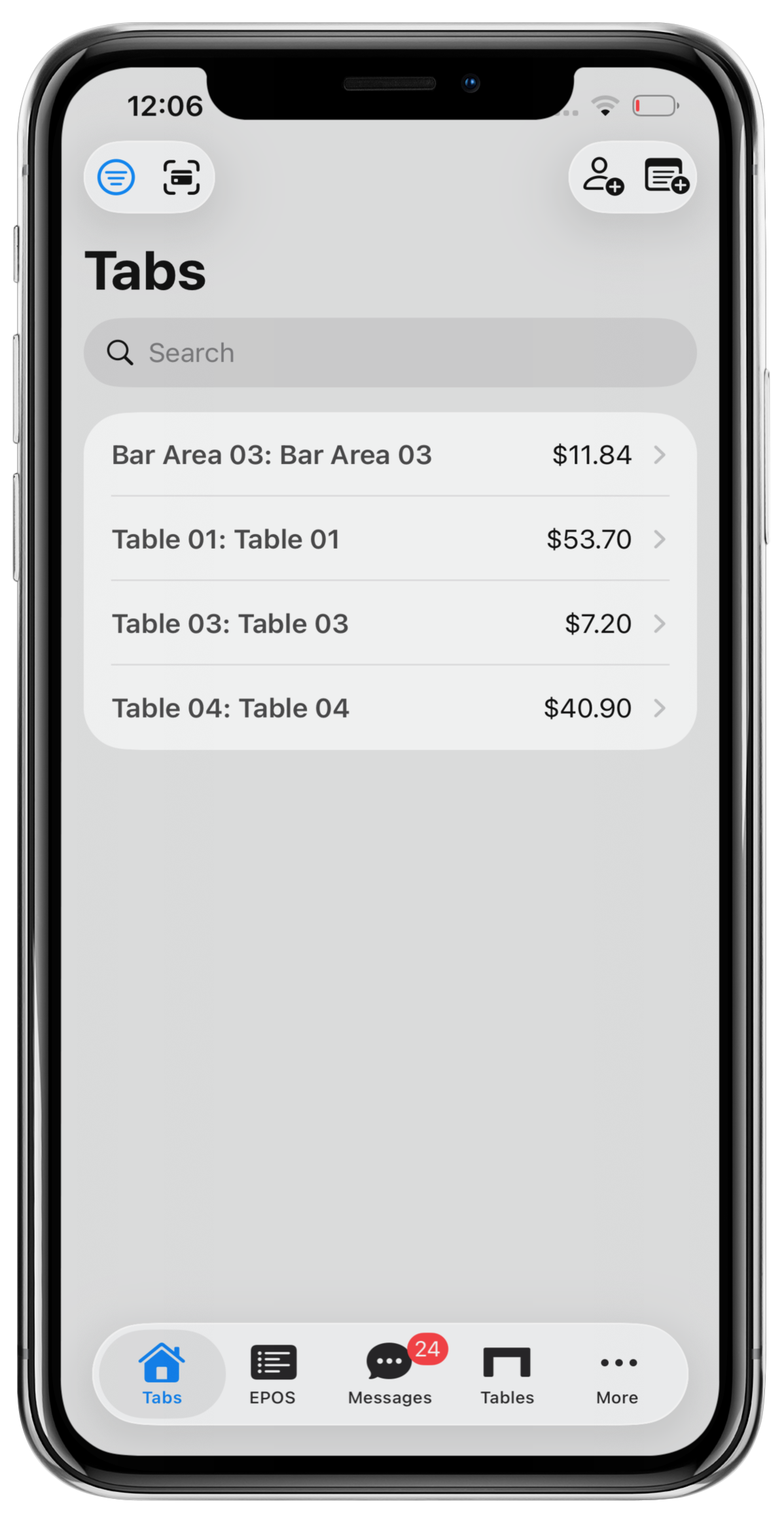
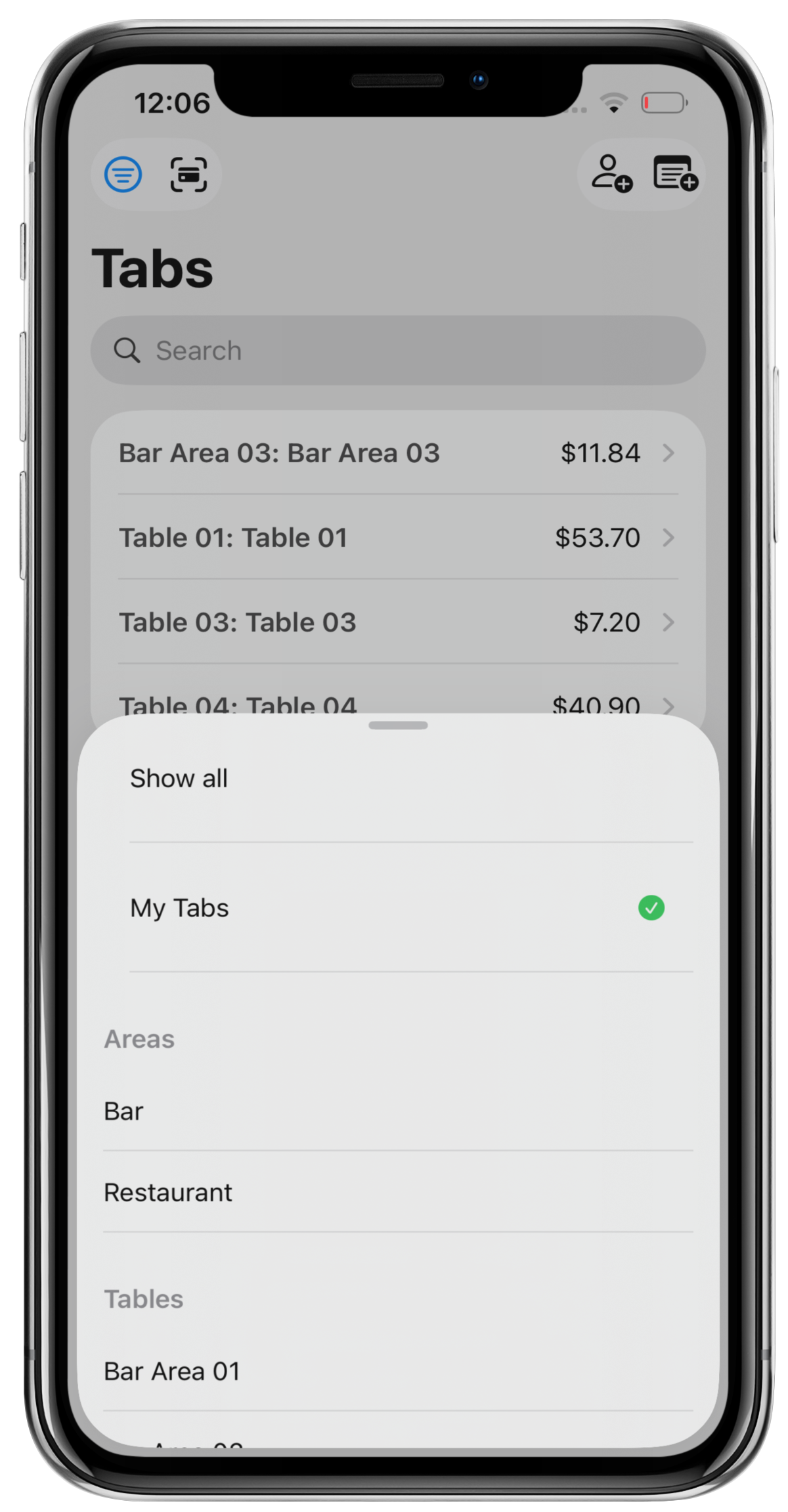
From the Filter list, select My tabs.
Note: When a filter is selected, a green tick will appear at the end of the filter to indicate that filter is applied.
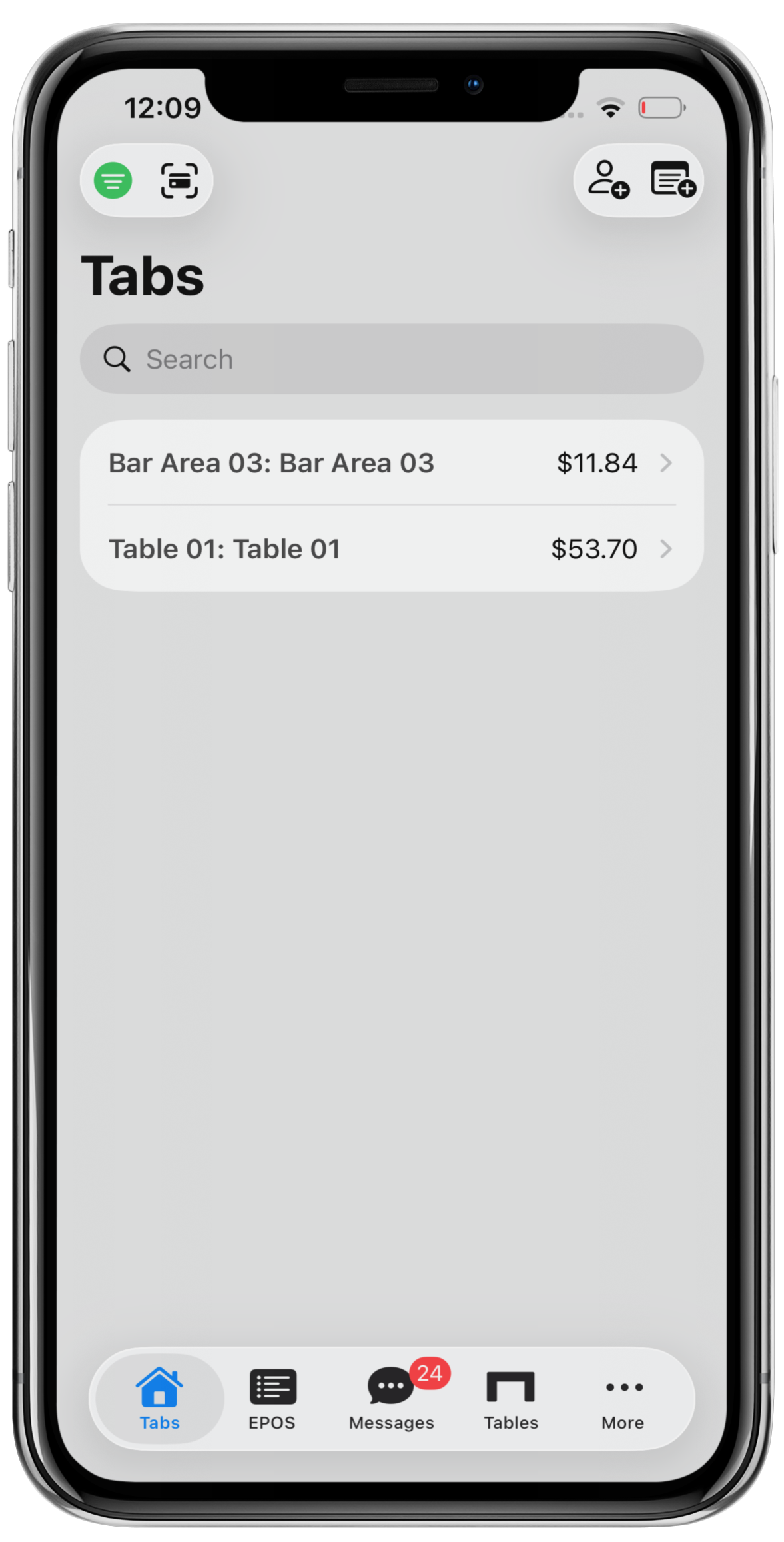
Press anywhere on the Mini POS screen to return to the Tab summary list.
Any tabs with the logged in user, set as a tab owner will be returned and the Filter icon will display in Green to highlight a filter has been applied.
Was this article helpful?
That’s Great!
Thank you for your feedback
Sorry! We couldn't be helpful
Thank you for your feedback
Feedback sent
We appreciate your effort and will try to fix the article