By default, tables will be available for bookings auto-allocation, but you may have tables you would prefer to allocate manually. For example, you may have tables you would like to reserve for overnight guests, or tables that are part of flexible areas you would like more control over.
To reserve a table for manual allocation, when creating or editing a table, switch the auto-allocate bookings toggle to off.
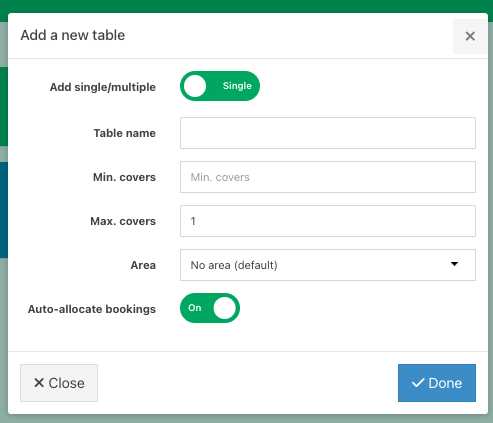
The table will no longer be considered in the availability checker for auto-confirming bookings.
If you would like to take booking requests that you can allocate to the table yourself, you can configure this in Booking request availability.
Was this article helpful?
That’s Great!
Thank you for your feedback
Sorry! We couldn't be helpful
Thank you for your feedback
Feedback sent
We appreciate your effort and will try to fix the article