If you have set a booking to repeat indefinitely, you can stop further meetings from being added by editing the recurrence.
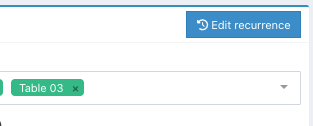
To remove a recurrence, locate the booking and click the blue Edit occurrence button.
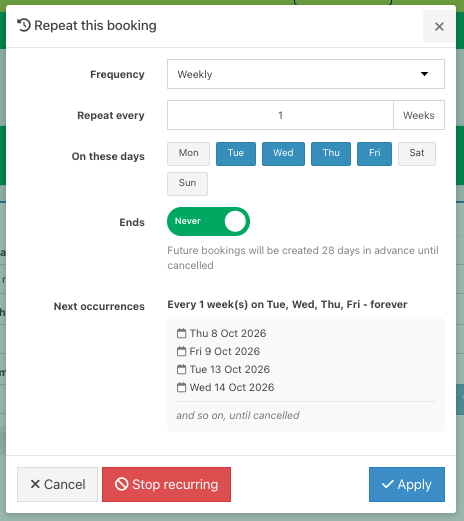
Then click the red Stop recurring button, followed by the blue Apply button.
Note: The recurrence generates bookings 28 days in advance. If you want to cancel any bookings already created for the next 28 days, you will need to cancel them individually.
Was this article helpful?
That’s Great!
Thank you for your feedback
Sorry! We couldn't be helpful
Thank you for your feedback
Feedback sent
We appreciate your effort and will try to fix the article